View event form responses
Your players' responses are viewed from the event the form is attached to: a session, a match or a player monitoring event (Wellness…).
Open the responses
-
In the Calendar, click the event, then Form.
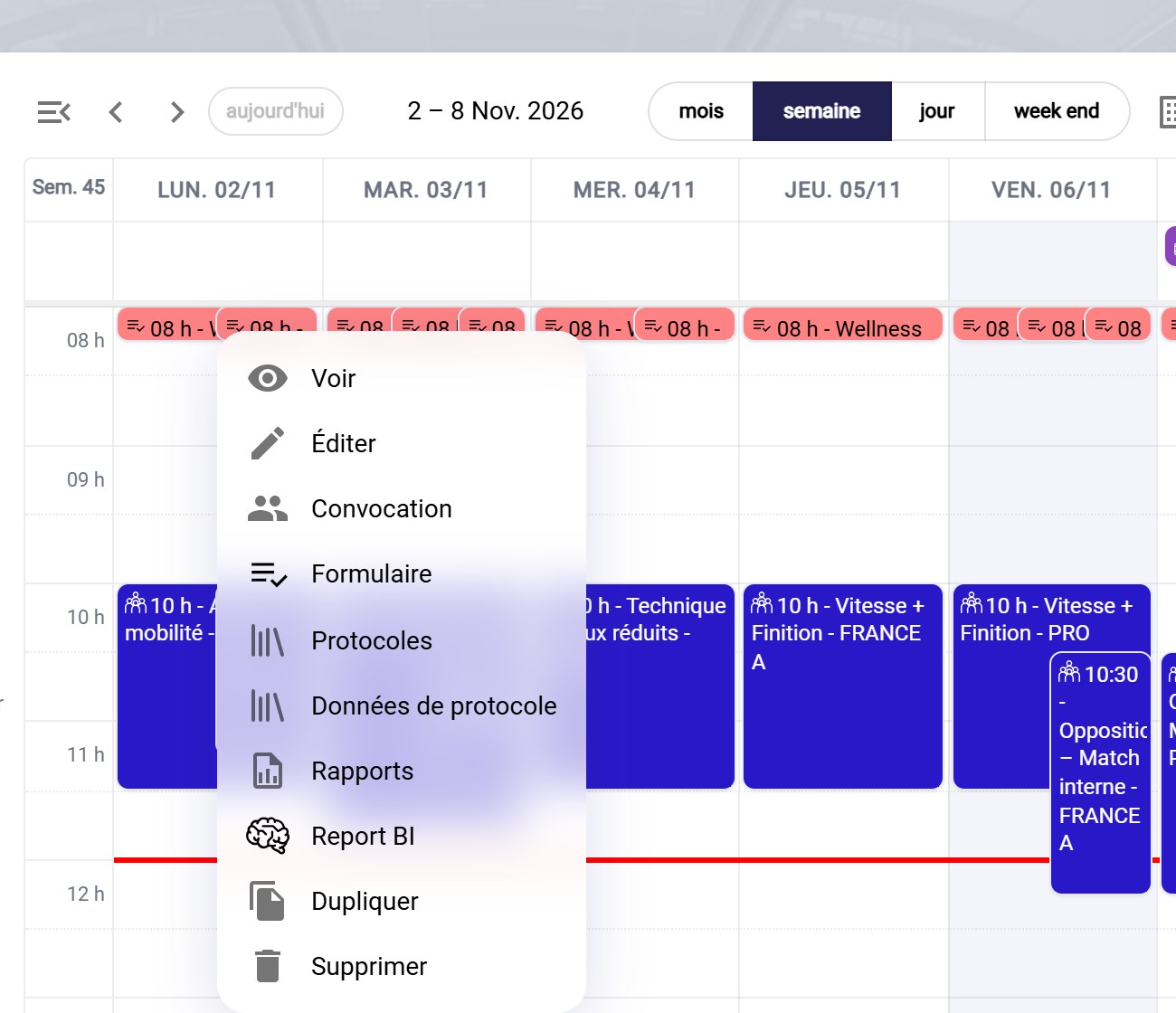
The event's menu
-
The event's Form tab opens. It shows one row per player, with the time of their response and the value of each question, in its color. The PRE and POST phases each have their own tab.
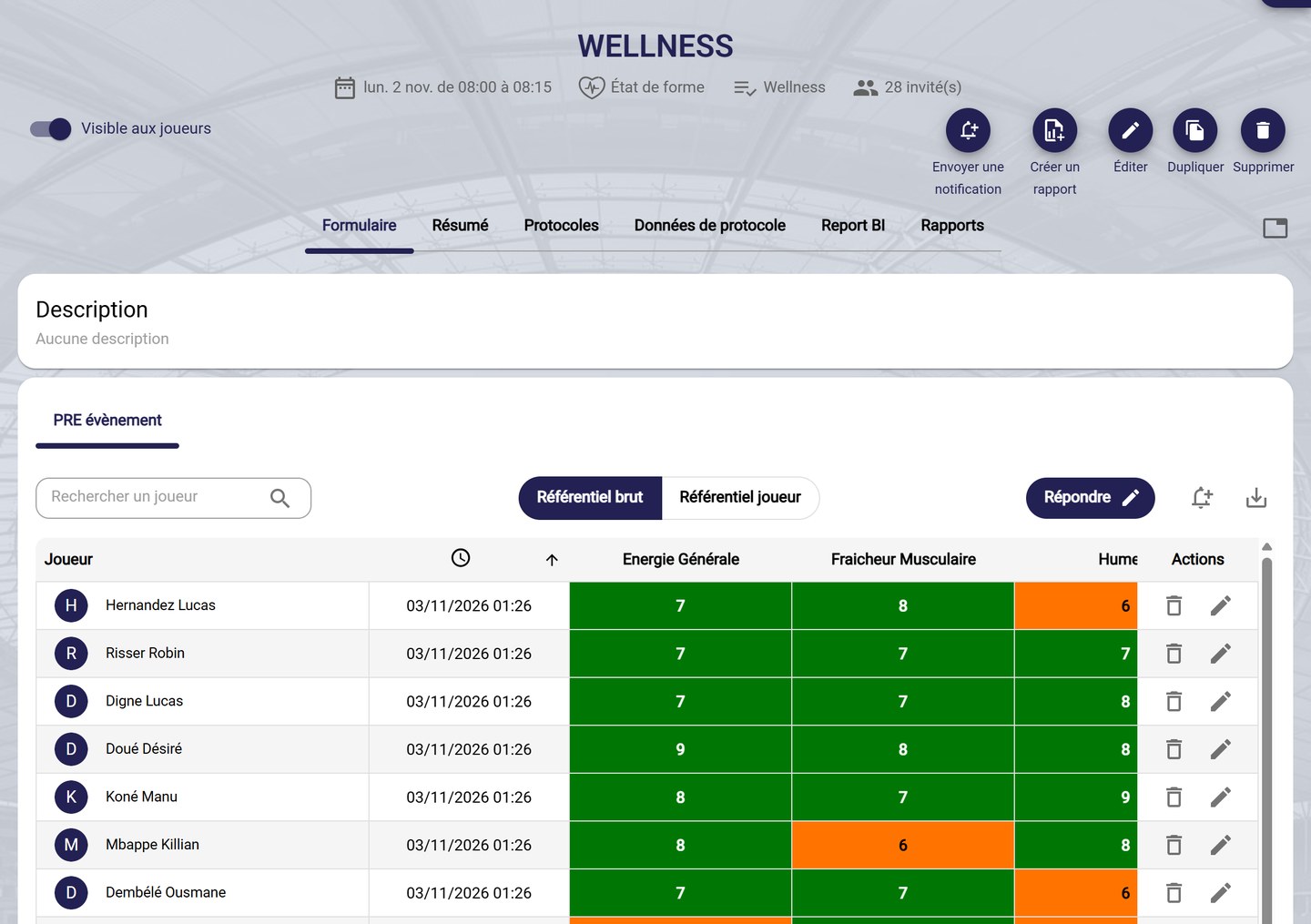
The players' responses
Read the responses
-
Raw referential shows the colors set in the form. Player referential colors each response against the player's usual responses: a value that is unusual for them stands out, even if it is fine in absolute terms.
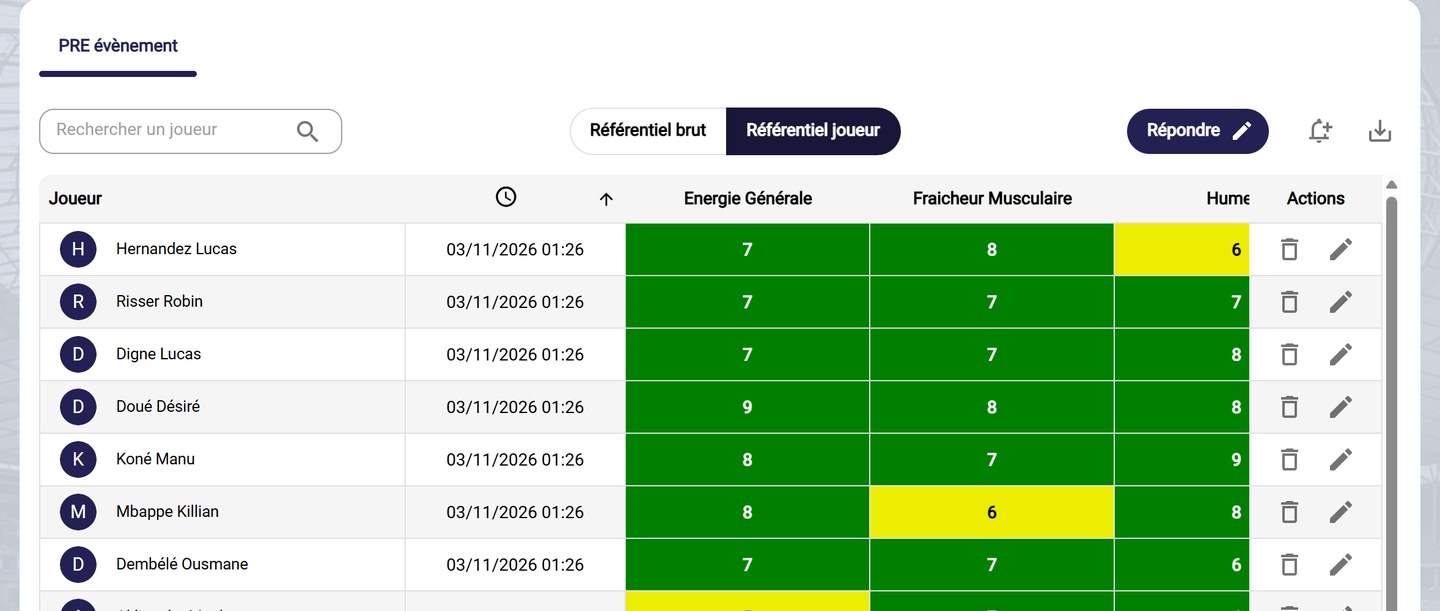
The player referential
-
For a row:
- the pencil edits the player's response;
- the bin deletes it.
-
Answer lets you enter a response on behalf of a player, for example if they could not use the app. The download icon exports the responses.
Responses that trigger an alert also appear in the Alerts tab of the home page: see View alerts.
Need help
Email support@mycoachpro.io with any questions about viewing form responses.