View alerts
The Alerts tab of the home page gathers your players' answers to forms that trigger an alert: reported pain, high fatigue… The number next to the tab shows the current alerts.
View the alerts
-
On the Home page, click the Alerts tab.
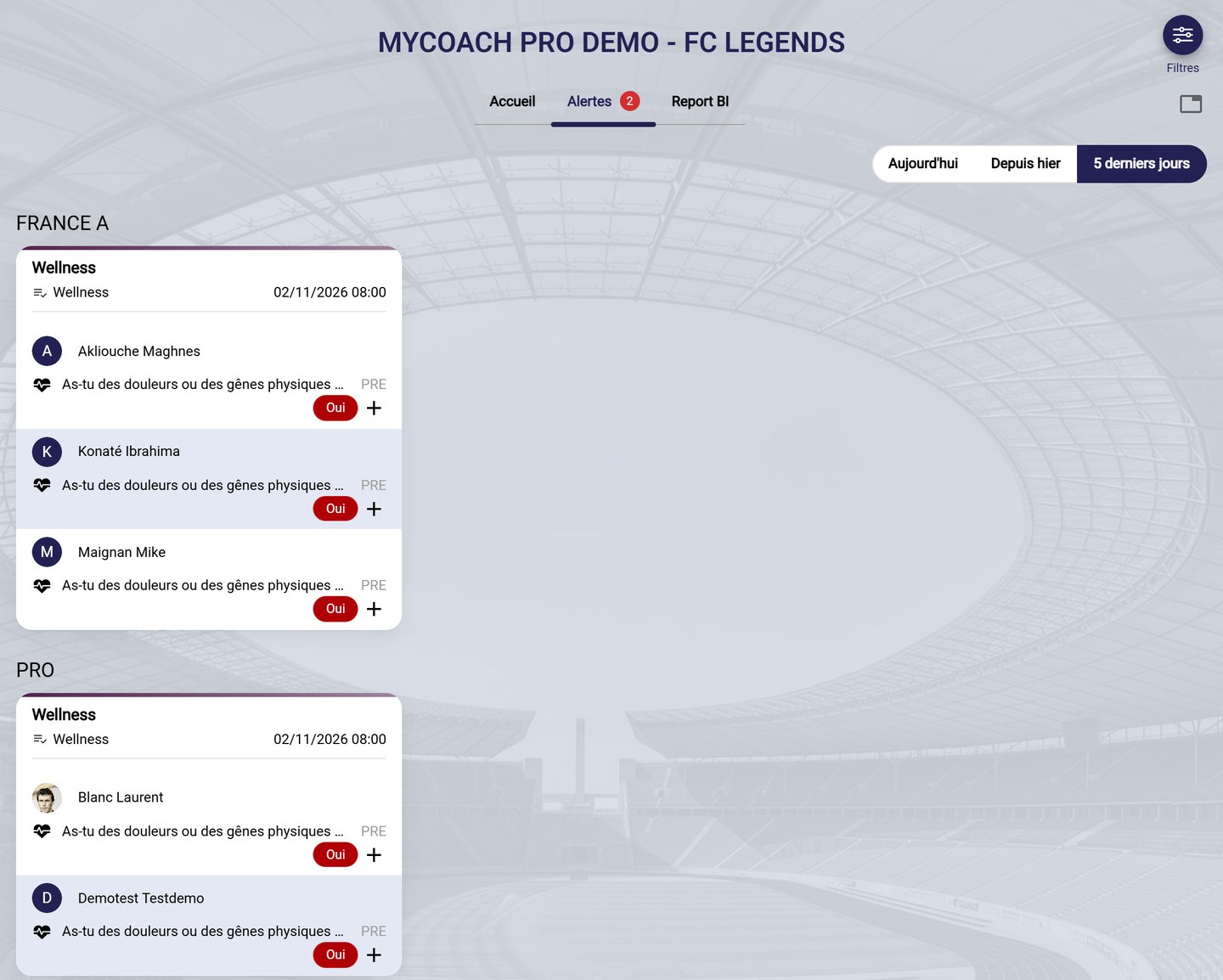
Alerts, grouped by team and by event
-
Choose the period, in the top right corner: Today, Since yesterday or Past 5 days.
-
Alerts are grouped by team, then by event, for example the morning Wellness questionnaire. For each player, you see:
- the question concerned and its phase (PRE or POST);
- the answer that triggered the alert, in its colour.
-
Click the event name or its date to open the event and see all the answers.
Where do alerts come from?
An answer appears here when the Report alert? option is ticked for it in the form. See Set up answers and alerts.
Need help
Email support@mycoachpro.io with any questions about alerts.