Scouting widgets
These widgets bring your recruitment work closer to your home page: shortlists, player searches and scouts' schedule.
Shortlists
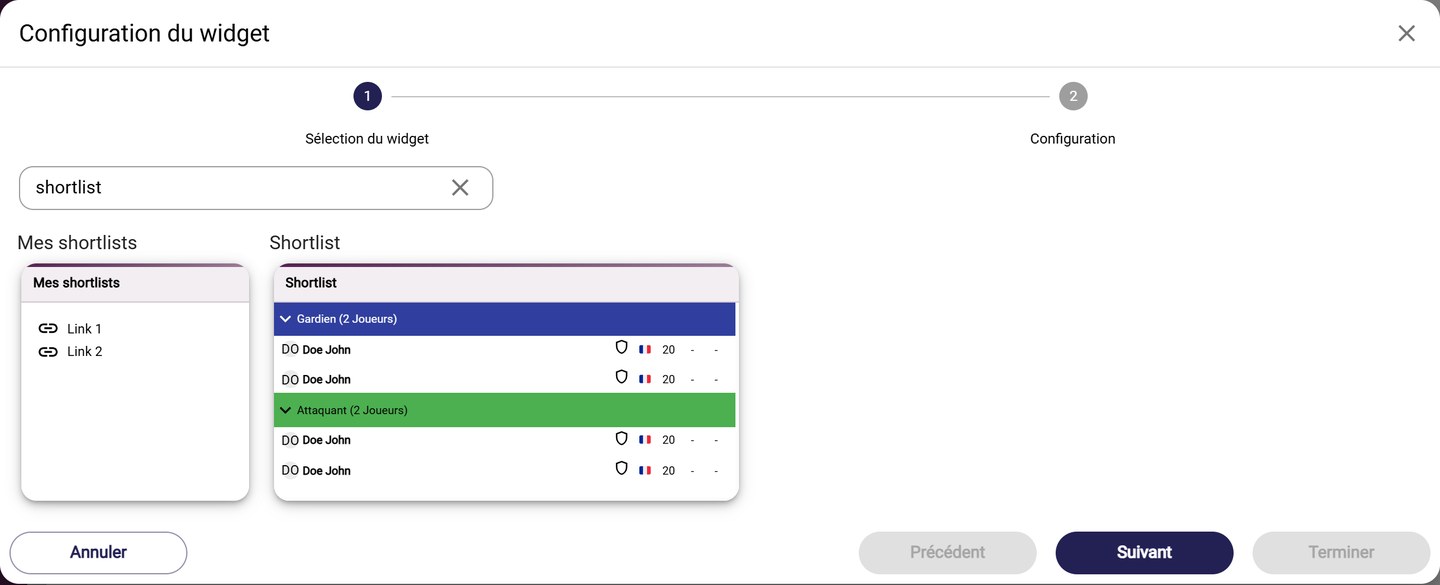
The shortlist widgets
- Shortlist displays the content of a shortlist, position by position. Choose it in Select a shortlist, and tick Show nickname to show the players' nicknames.
- My Shortlists gathers shortcuts to several shortlists. For each one, choose the shortlist and enter a Shortcut title, then click Add a shortlist to add another. Also set the Widget size.
Scouts' schedule
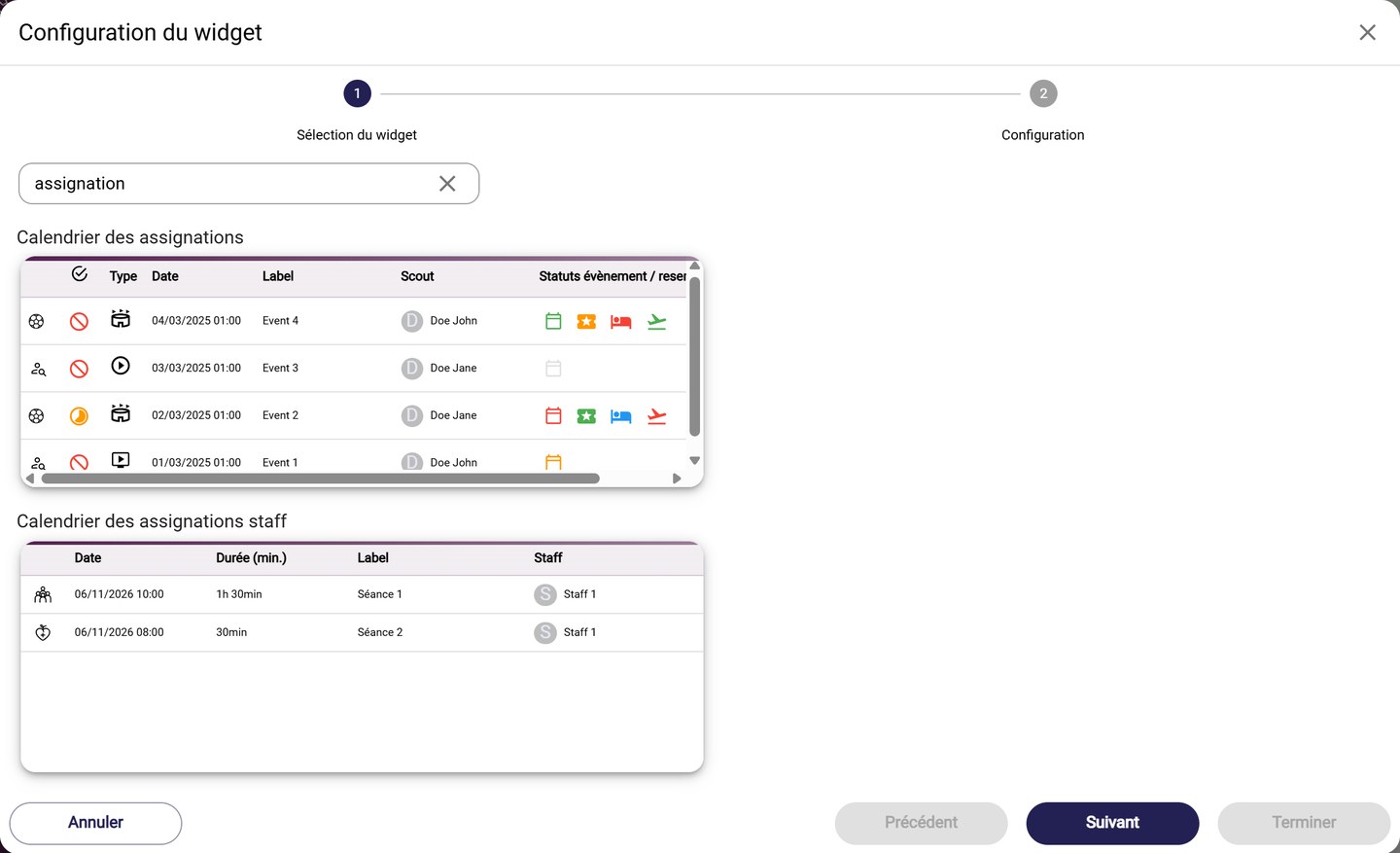
The assignments calendars
- Assignments calendar lists the events assigned to your scouts: type, date, scout, and the statuses of the event and of the bookings. Choose the Staffs, then the number of Days before and Days after.
Bookmarked searches
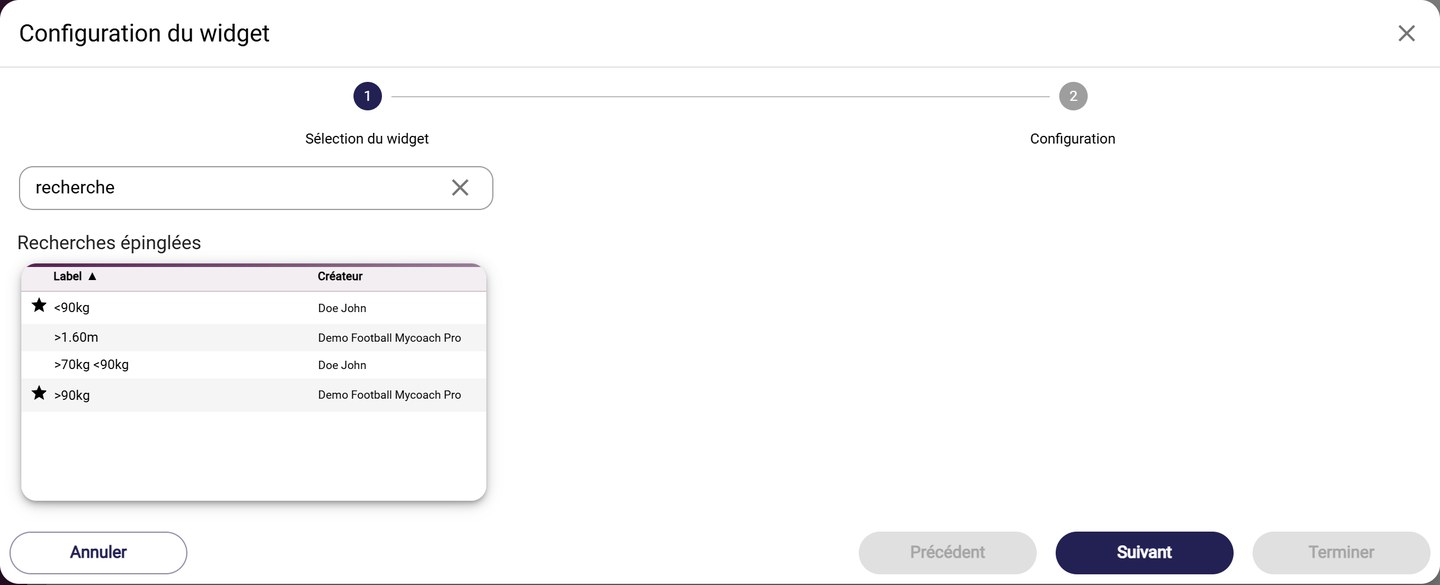
The Bookmarked Searches widget
- Bookmarked Searches lists your saved player searches, to run them again in one click. The Filter displays My searches or your favourite searches.
Need help
Email support@mycoachpro.io with any questions about these widgets.