Session and monitoring widgets
These widgets display your sessions, your player monitoring events and your staff's schedule. Add them from the home page's edit mode: see Configuring your widgets.
Common setting
Most widgets offer a Header color to tell them apart at a glance.
Sessions
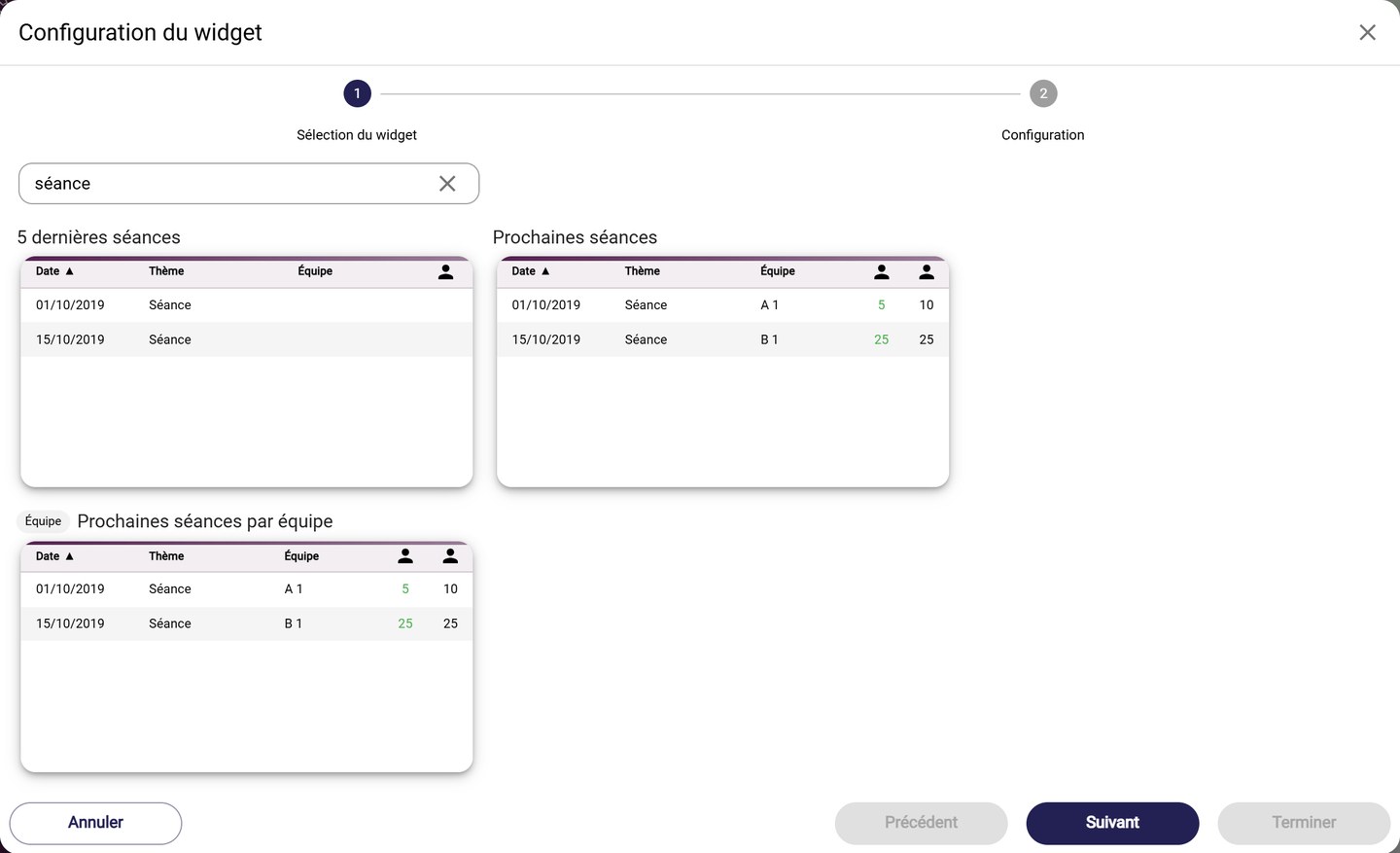
The session widgets
- Last 5 sessions lists your latest sessions: date, theme and team. Filter them by Training type.
- Next sessions lists your upcoming sessions, with the number of players called up. Choose the Widget configuration and filter by Training type.
- Next sessions by team displays the same list, but for a single team: this widget goes in the team's section on the home page (Team label in the catalogue).
Player monitoring events
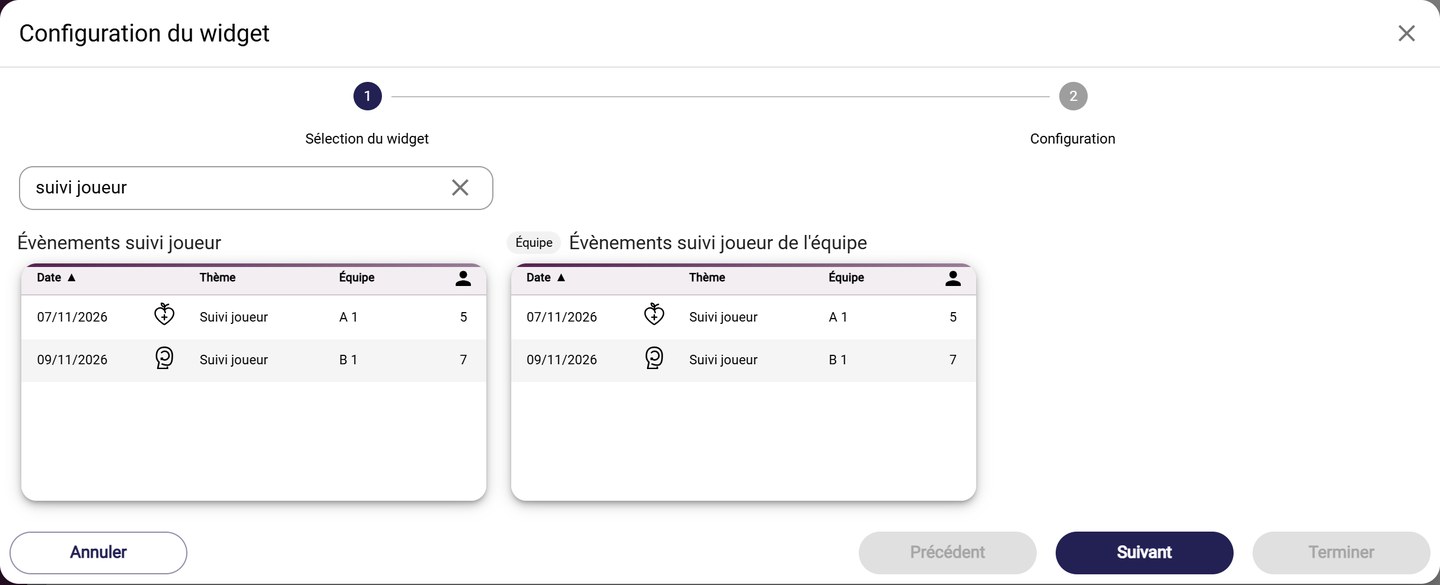
The player monitoring event widgets
- Player monitoring events lists your monitoring events (Wellness, tests…). Choose the Event type, the Widget temporality (past or upcoming events) and the Widget configuration.
- Team player monitoring events does the same for one team, in its section.
Staff schedule
- Staff calendar lists the sessions assigned to staff members, with their duration. Choose the Staffs displayed (or Myself only), then the number of Days before and Days after.
The calendar
To see all your events for the week, use the Calendar widget instead: see Widget: Calendar.
Need help
Email support@mycoachpro.io with any questions about these widgets.