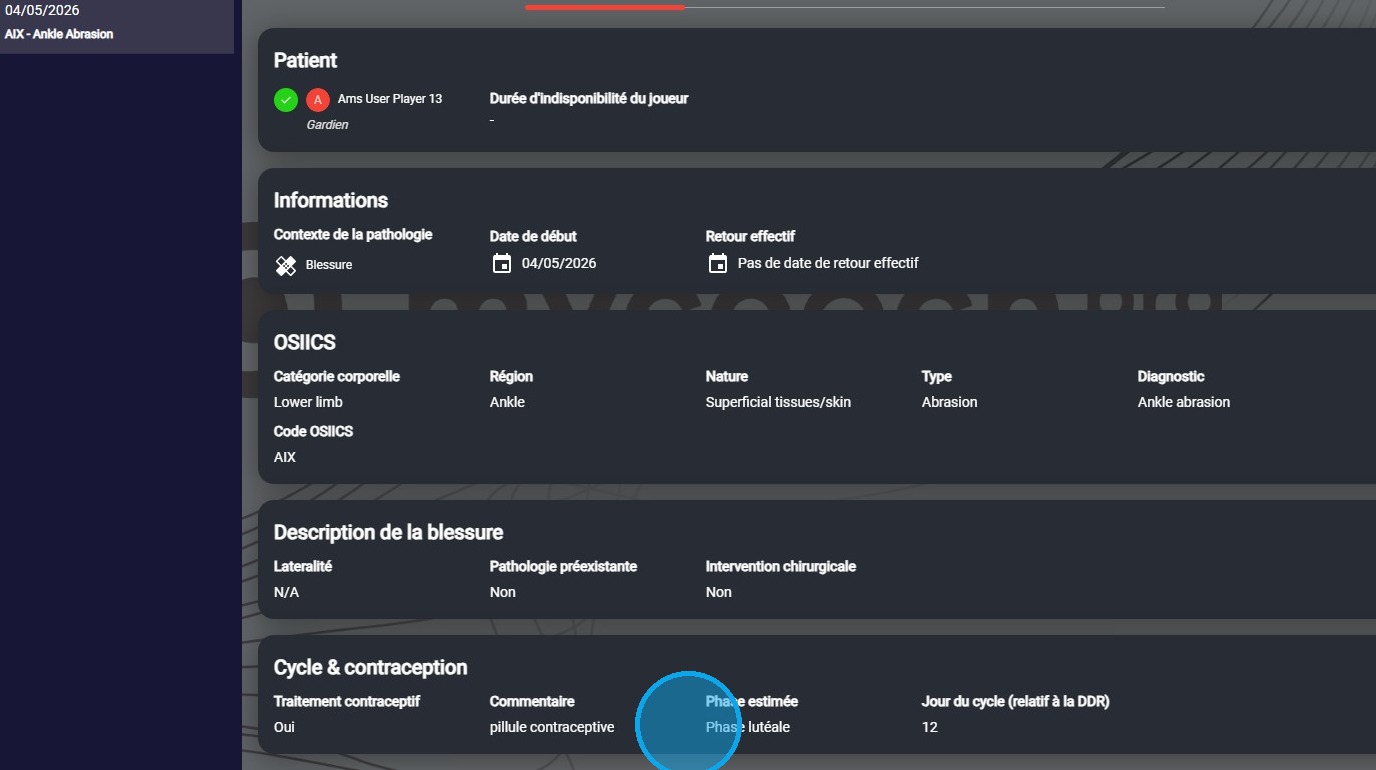
Cycle & Contraception
Record information about a patient's menstrual cycle and contraception.
Who can fill in and see these fields?
Tip: Only people with the Medical role — and therefore the ability to create pathologies — will have visibility on these fields in the following cases:
- Creating a pathology
- Viewing the detail of a pathology
Cycle & Contraception
- From the patient record or the patient list, select the option to add a pathology for a patient.
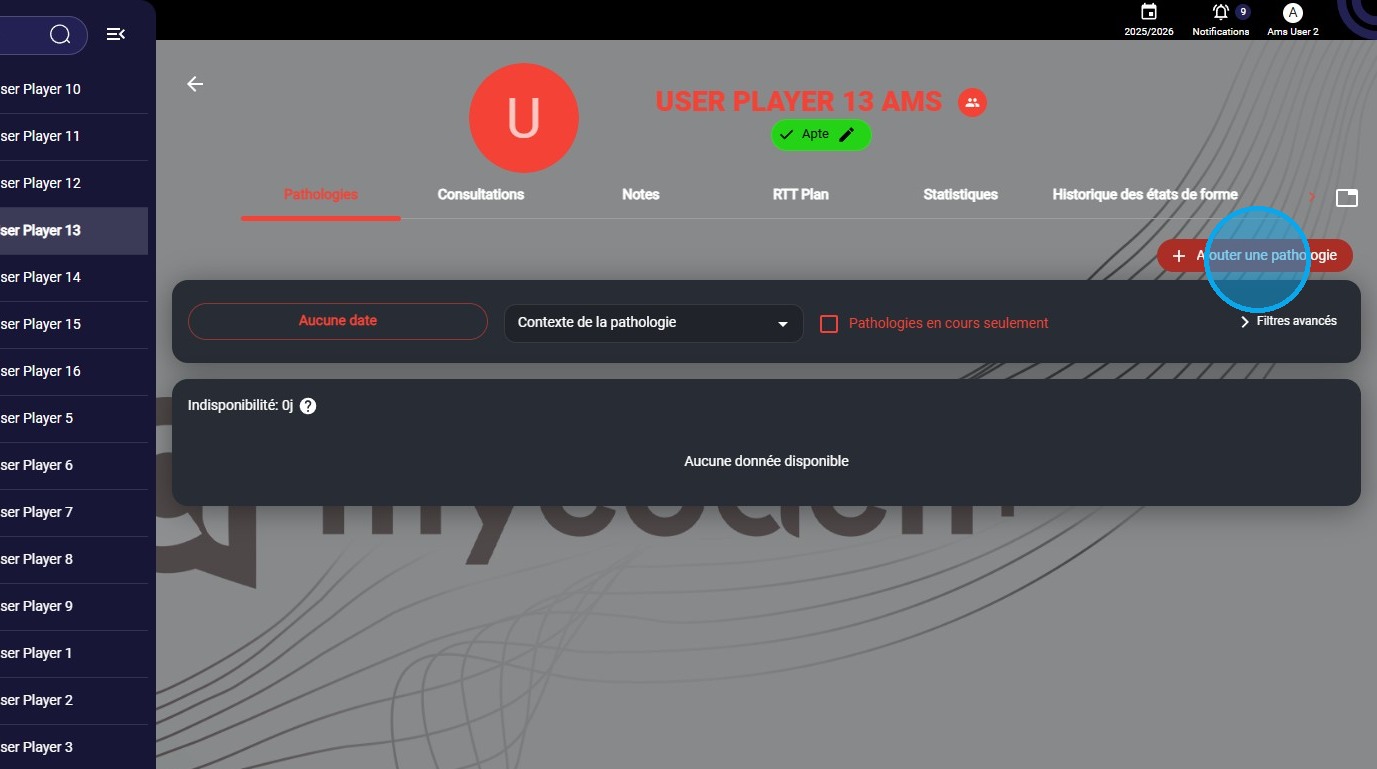

- If you selected a female patient, a new section appears at the bottom of the view, just before the comments. This is the Cycle & Contraception section.
- This section lets you fill in 4 new fields:
- Contraceptive treatment
- Comment
- Estimated (menstrual) phase
- Cycle day (relative to the LMP)
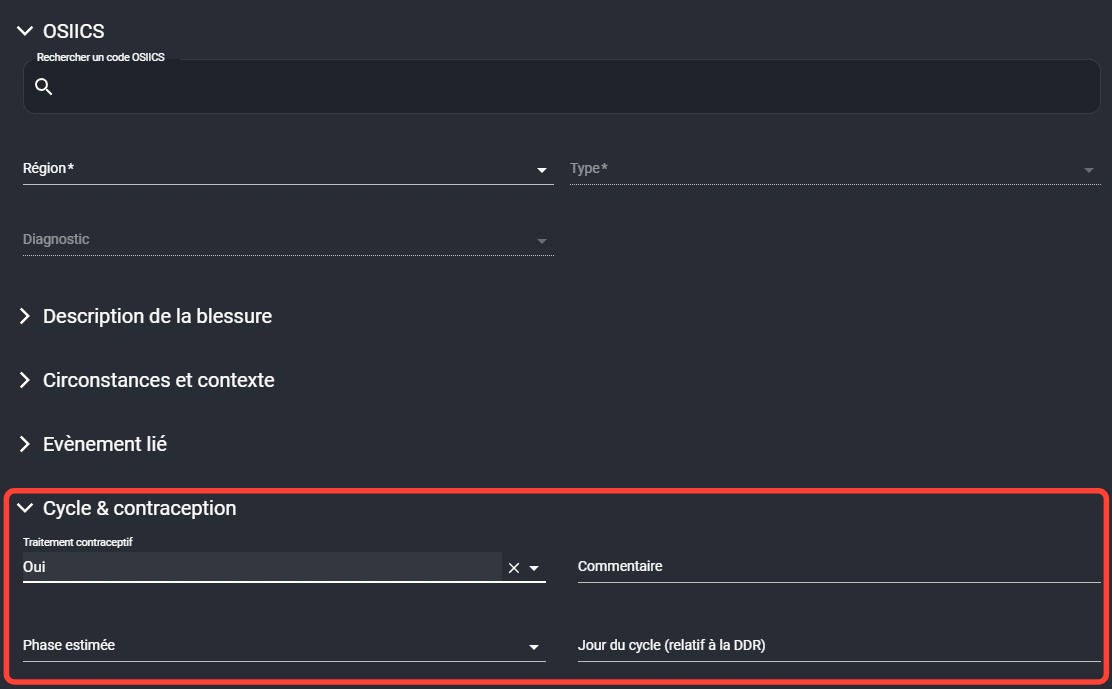
- Fill in this information if needed...

- Once you're done entering the information for this pathology, click Save as usual and add documents if needed.

- You can review this information directly from the pathology detail view. As a reminder, this information is only visible to people with the Medical role.