Use session templates
A session template saves a standard session (type, duration, form, exercises…) so you can recreate it in just a few clicks.
Find your templates
-
Click the Sessions module, then the Session templates tab. Each template shows its type, its theme, its duration and its teams.
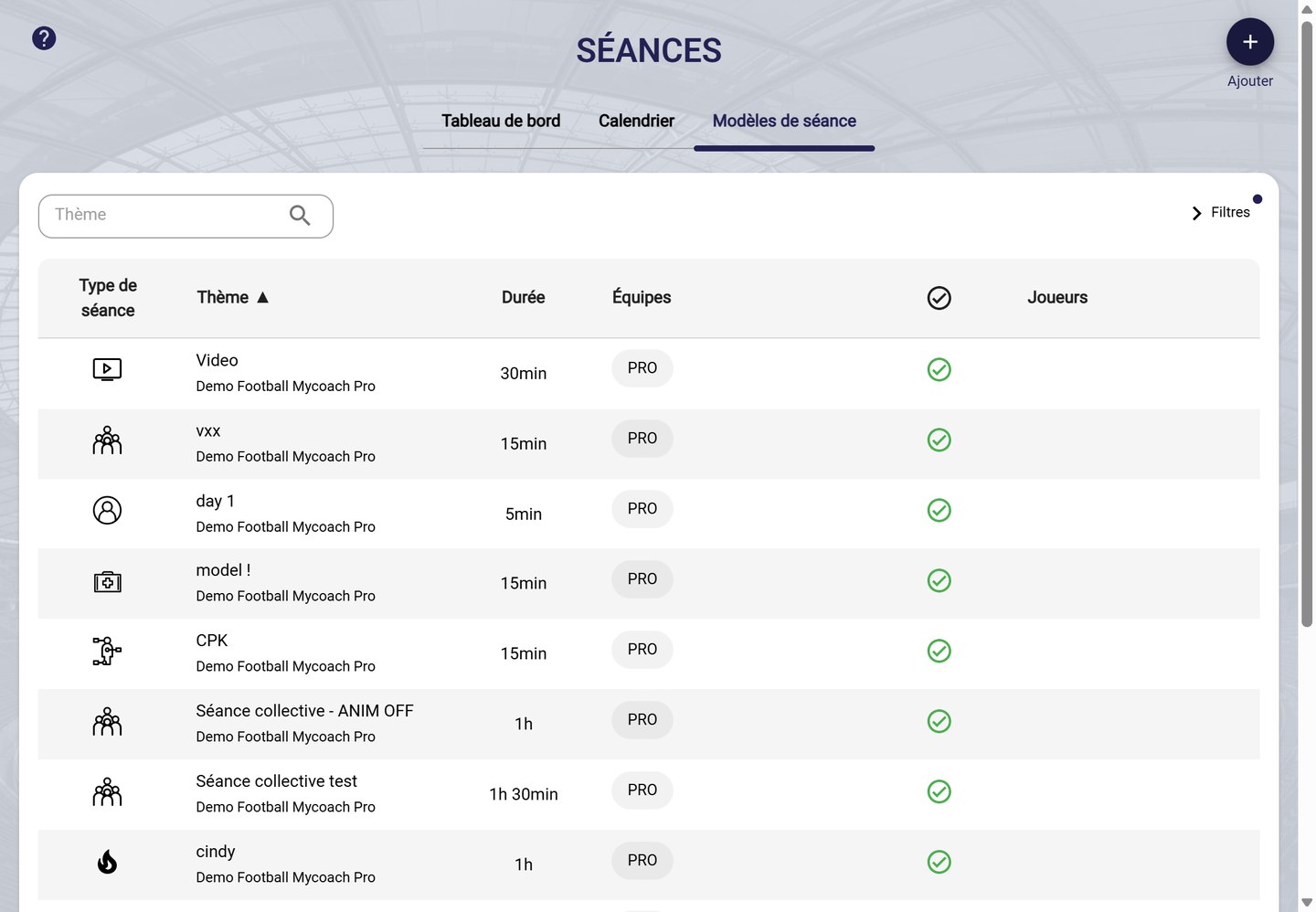
The session templates
-
Search for a template by theme, or expand Filters to filter by event type, teams, player session or active.

The template filters
View a template
-
Click a template to show its information and its exercises. The buttons in the top right corner let you create a session from the template, edit it or delete it.
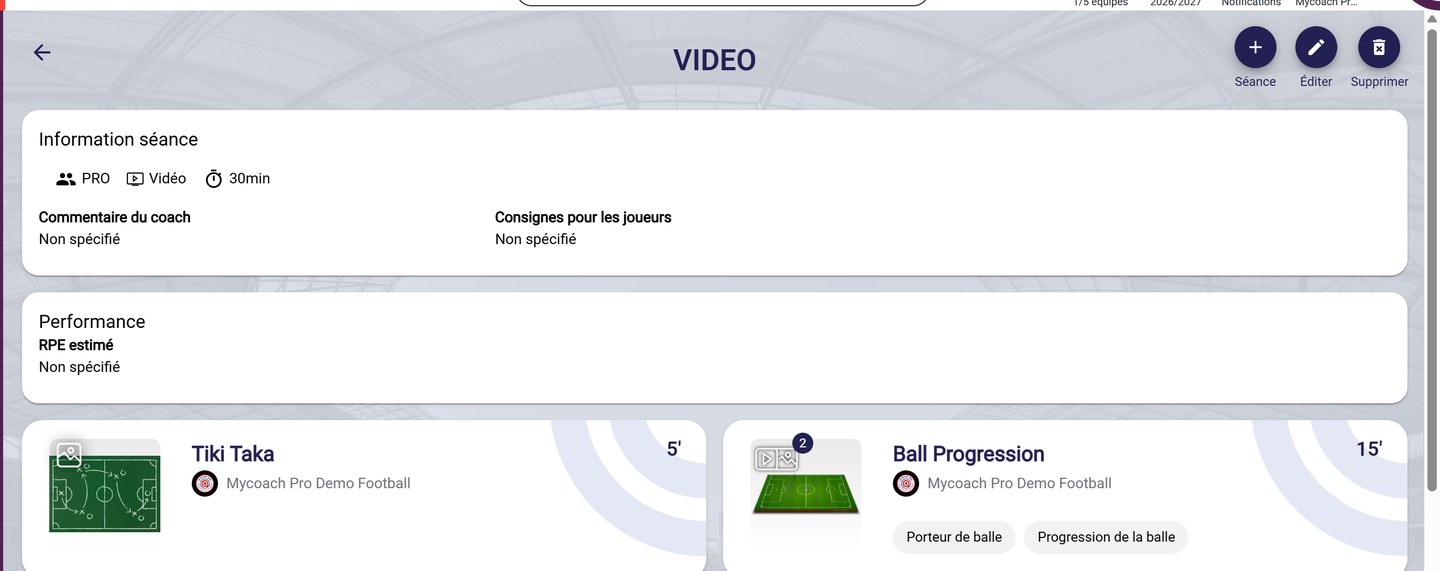
A template's page
Create a session from a template
-
In the session creation form, click Select template, then choose the template. The template's information and exercises are carried over: fill in the date and the convocation, then click FINISH.
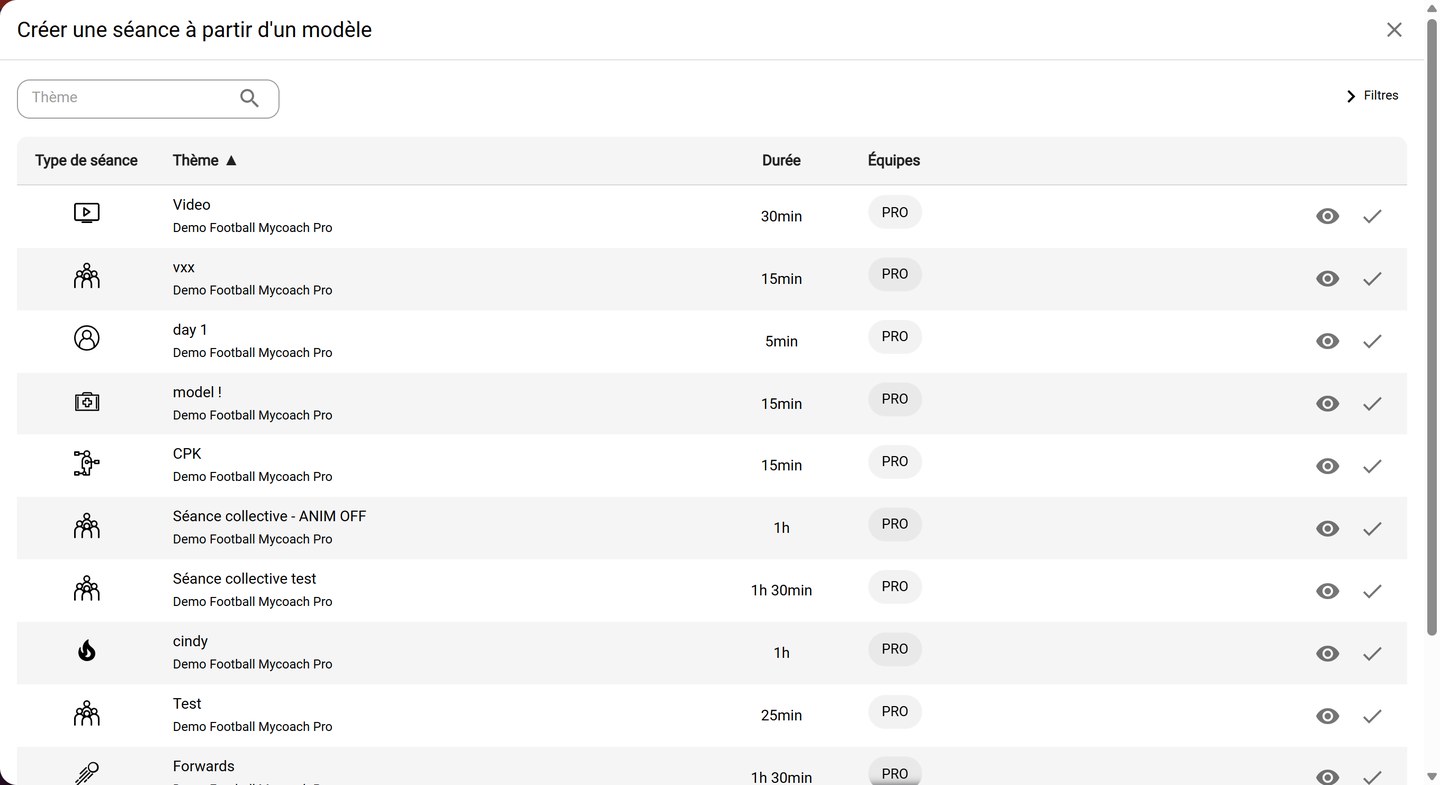
Choosing a template
Create a template
- Click Add in the Session templates tab, or turn an existing session into a template: see Edit, duplicate or delete a session.
Need help
Email support@mycoachpro.io with any questions about session templates.