The sessions dashboard
The Sessions module's dashboard gives you an overview of your training.
Upcoming and latest sessions
-
Click the Sessions module. The Dashboard tab lists your next sessions and your previous sessions, with the team, type, theme, date and duration. Choose how many sessions are shown with Show … entries, and click a session to open it.
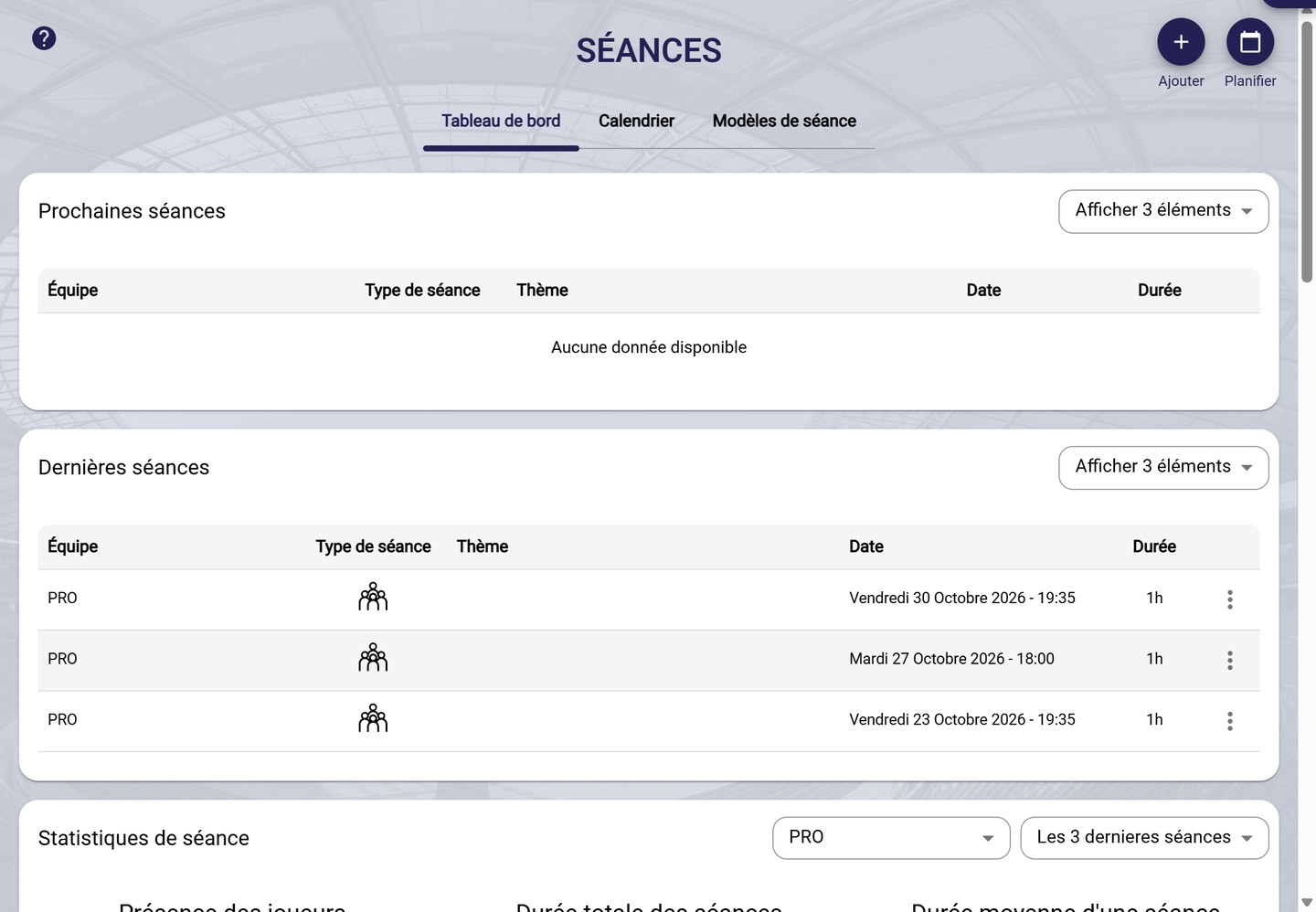
The dashboard
Session statistics
-
Further down, Session statistics shows, for the chosen team and period (for example the last 3 sessions):
- players attendance;
- the total duration and average duration of the sessions;
- the breakdown of session types, by duration or by usage;
- the breakdown of session tags and exercise tags;
- the sessions duration compared with the average.
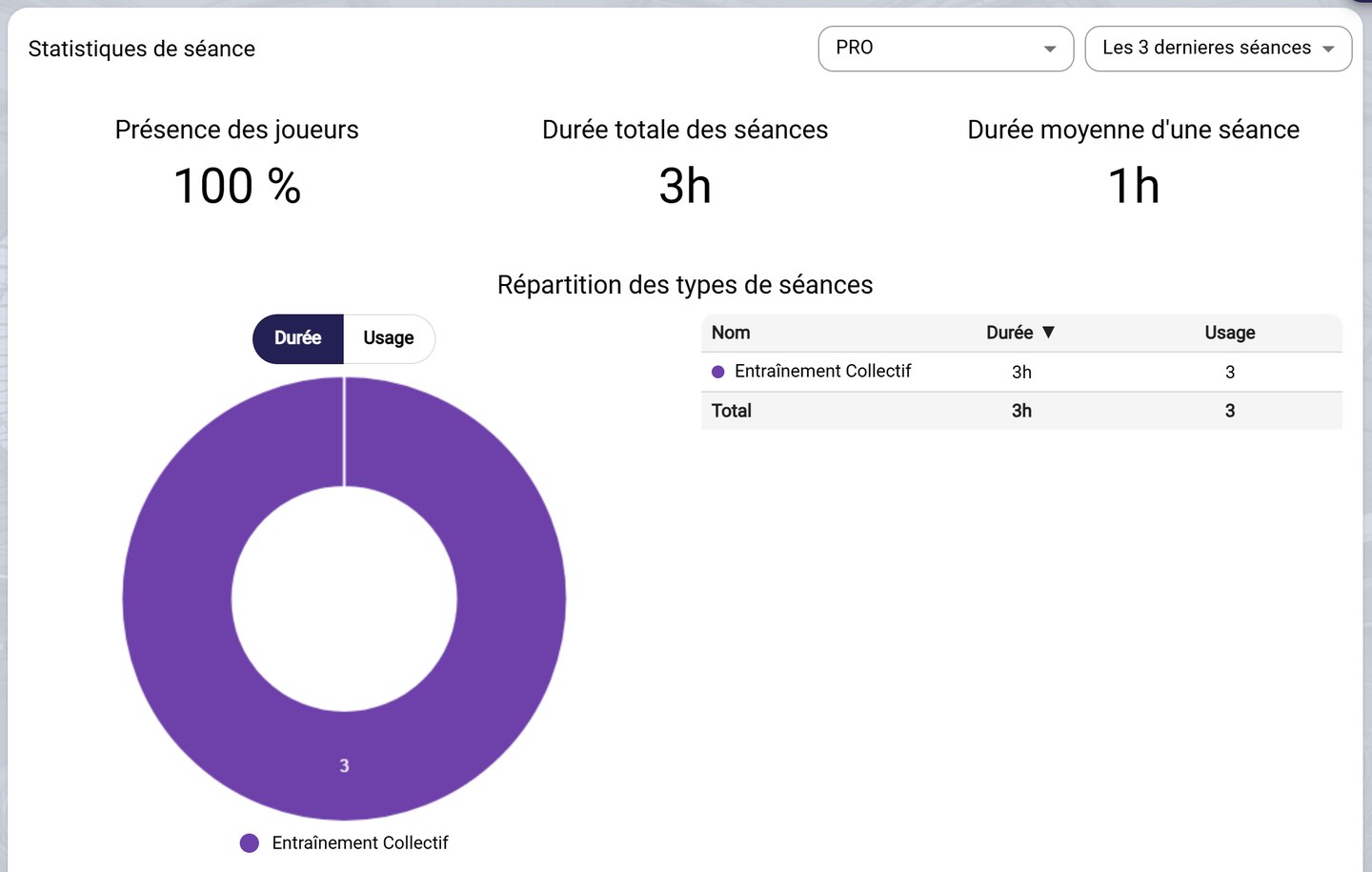
The session statistics
The sessions calendar
The module's Calendar tab shows your sessions in the calendar: see Organise and view your calendar.
Need help
Email support@mycoachpro.io with any questions about the sessions dashboard.