Configure and schedule a Wellness form
Set up Wellness monitoring for your players in two stages: configure the form from a template, then schedule the player monitoring events that send it to your players.
Configure the Wellness form
-
In Insights > Forms, Configuration tab, click Add.
Required access rightConfiguring forms requires a specific access right.
-
Select Duplicate from a template, then choose one of the Wellness templates in the Form list. Click Next.
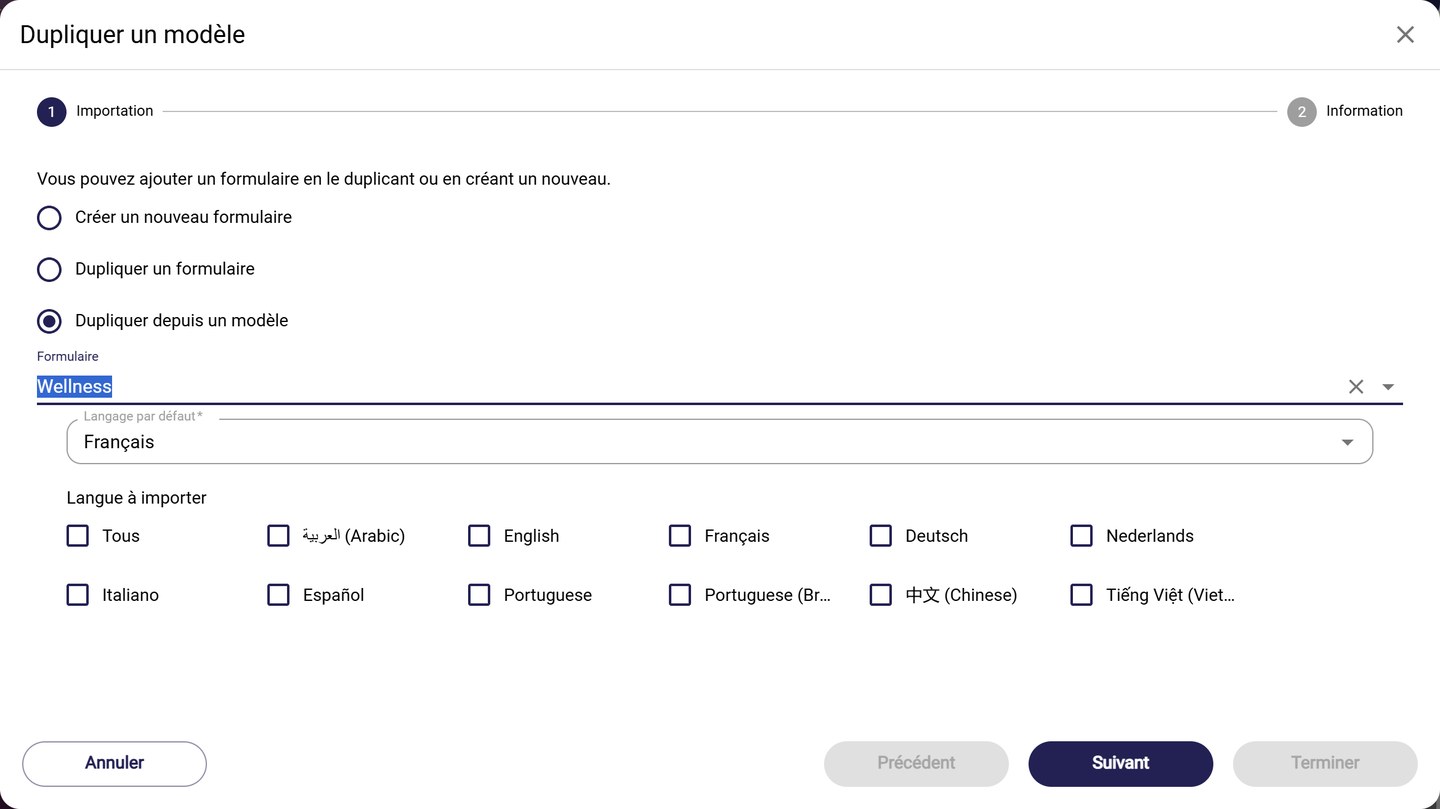
Choosing the Wellness template
-
At the Information step, choose the Team and keep the Context on Form type: other contexts exist, but this one ensures optimal use of the form. Click Finish.
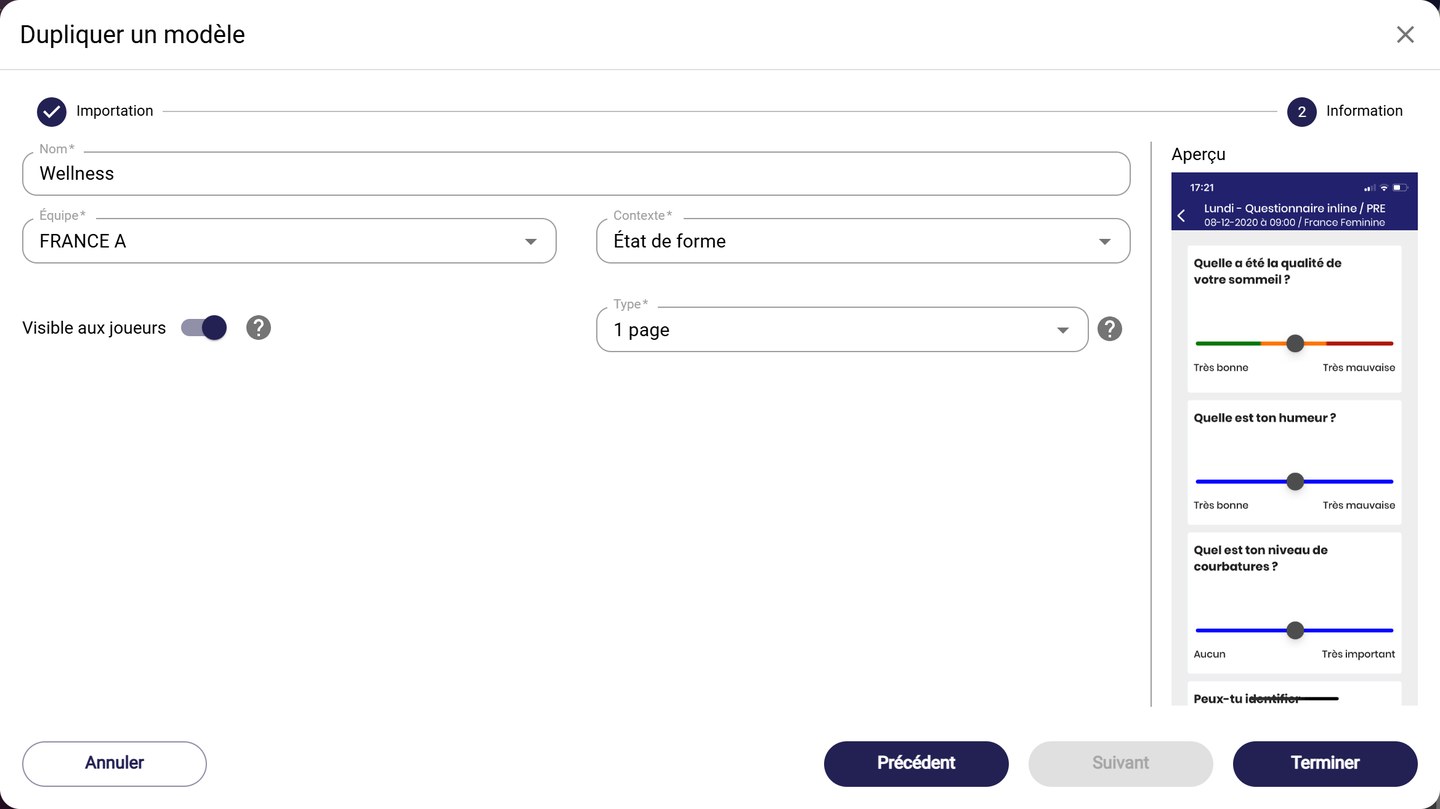
The Form type context
Automatic activationForms configured with a player monitoring context are enabled by default.
Schedule player monitoring events
-
In the Calendar, click the + button at the bottom right, then Plan player monitoring events. You can also click directly on a date in the calendar.
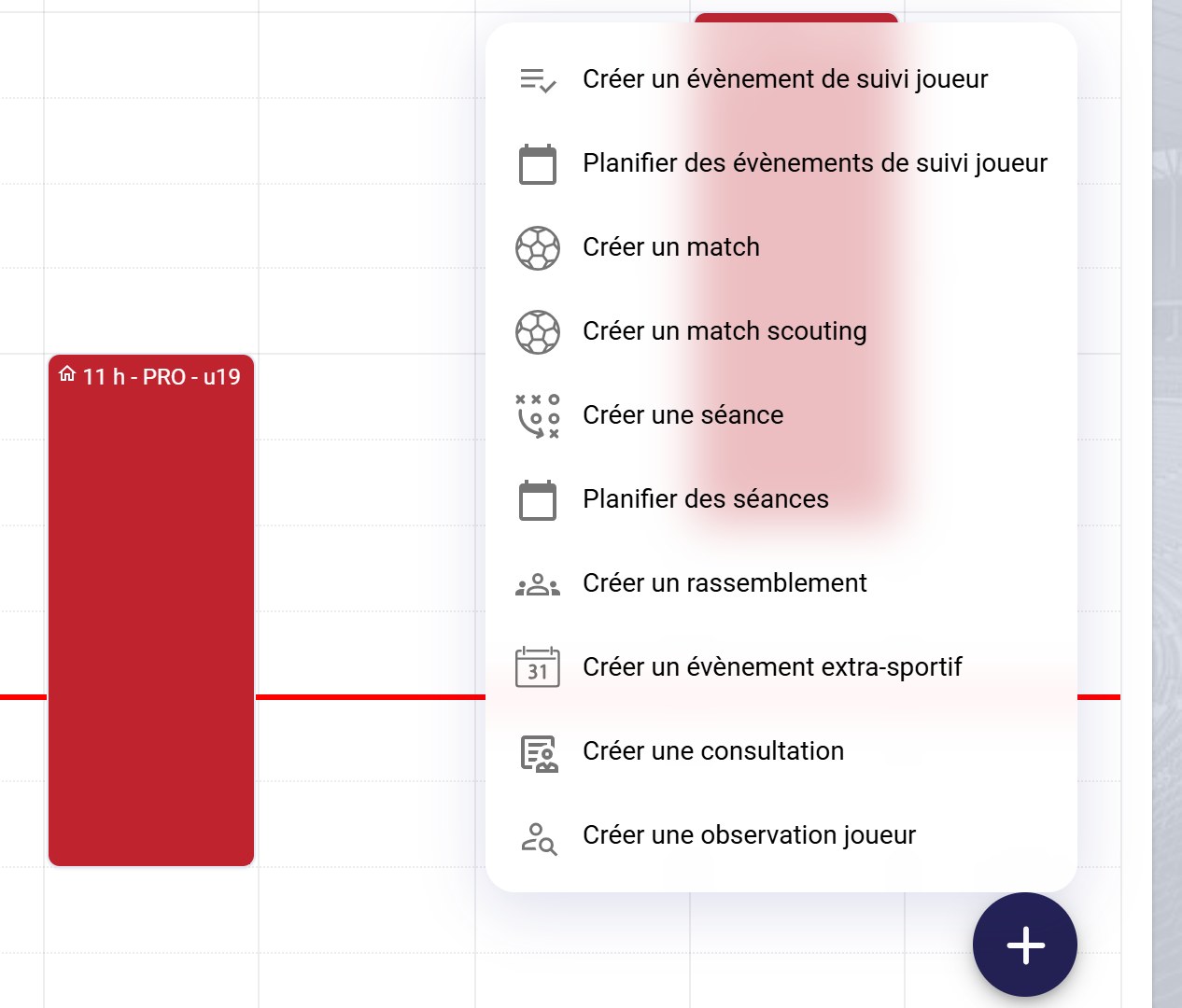
The calendar creation menu
-
Fill in the schedule:
- under Team & players, choose the Team and the Players called up, for example Convene entire team;
- under Schedule, choose the period (From / To) or the number of Weeks, the Recurrence, then tick the Recurring days;
- under Session details, choose Form type as the Event type, enter a Title, the Hour and the Duration (minutes). Your form is selected automatically in the Form field.
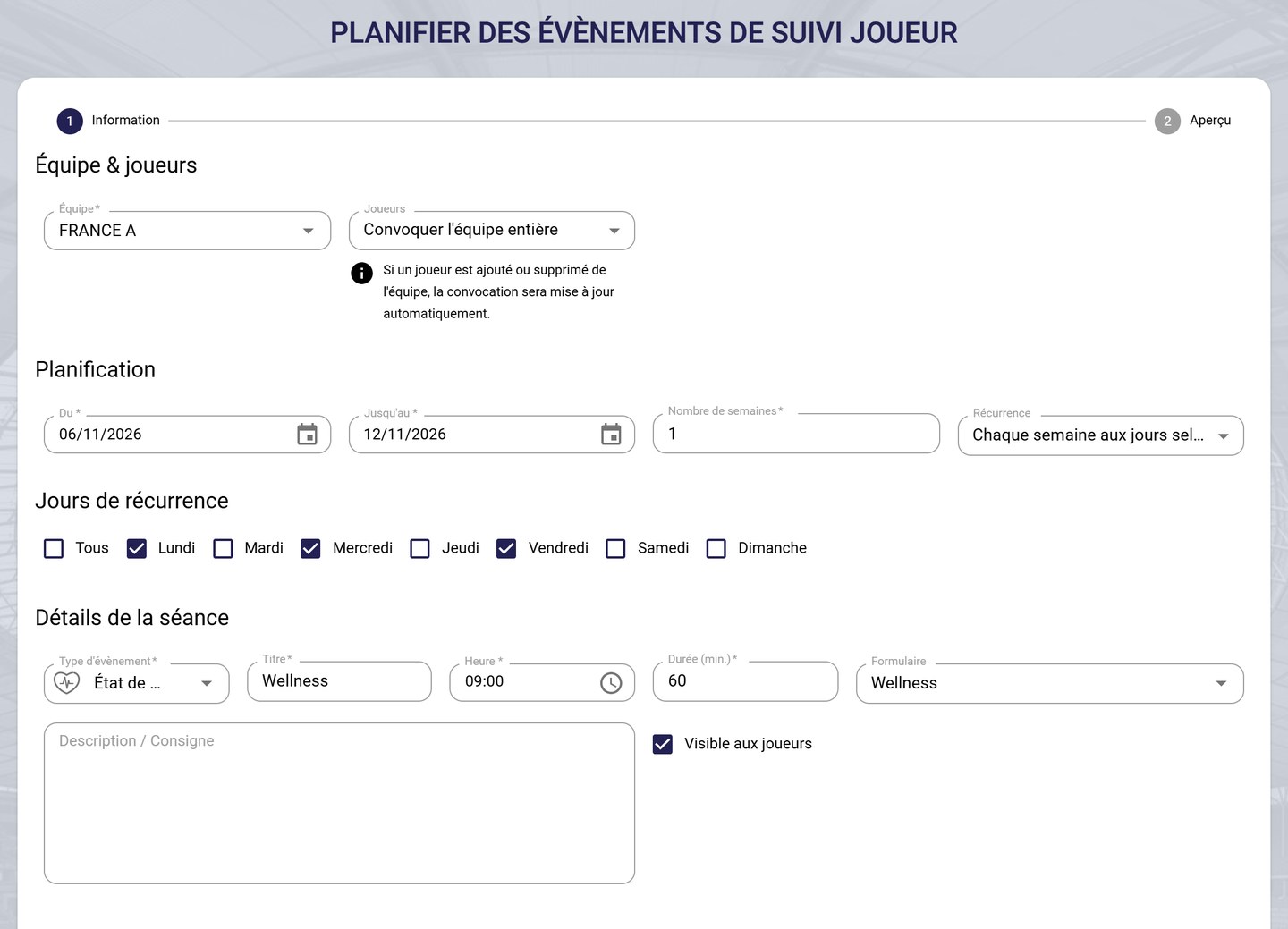
Scheduling player monitoring events
Event type and formThe form is only offered if you choose the event type (or context) it was configured with.
Response deadlineThe time you choose is the deadline by which you expect an answer. Your athletes receive a first notification 90 minutes before, and 6 notifications in total up to the scheduled time.
-
Click Finish. Your player monitoring events appear in your calendar.
Duration and previewThe duration only sets the size of the event in your calendar. Click Next rather than Finish to display a preview of your schedule.
Need help
Email support@mycoachpro.io with any questions about configuring and scheduling Wellness forms.