Plan your training sessions
MyCoach Pro centralizes your squads' calendar. Its event planning feature lets you schedule your sessions in just a few clicks, one at a time or in a recurring series over several weeks.
Two recurrence modes are available once you start planning:
- Simple recurrence — the same session, every week, on the days you select.
- Advanced recurrence — several different sessions per day, each configured independently.
Start planning
-
Click the Calendar module.
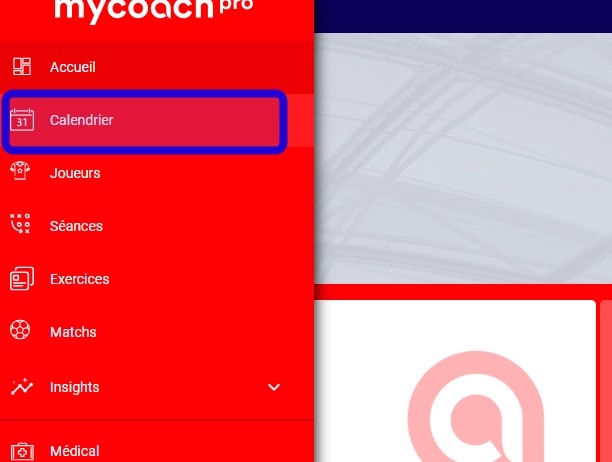
Calendar module
-
Two options let you start planning:
- Click a date and/or a time slot, then select Plan sessions.
- Click the + button, then select Plan sessions.
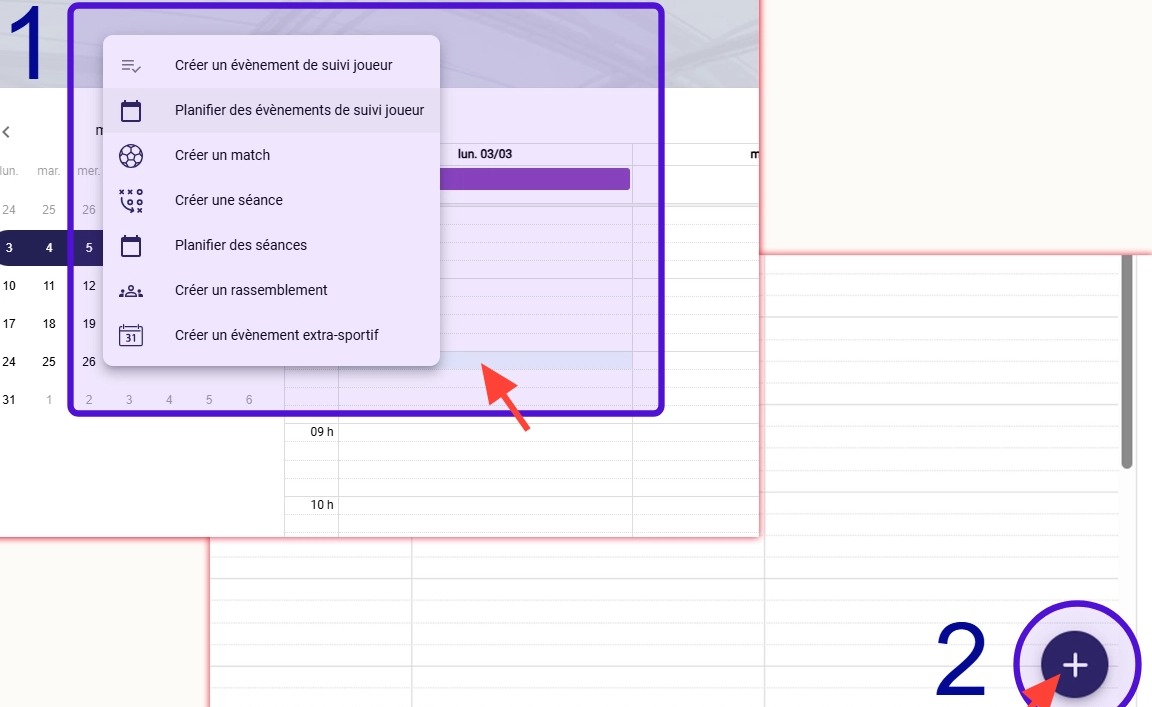
The two entry points for planning a session
-
Start configuring your plan by selecting:
- The team involved
- The call-up type
- The attendance request
- The dates
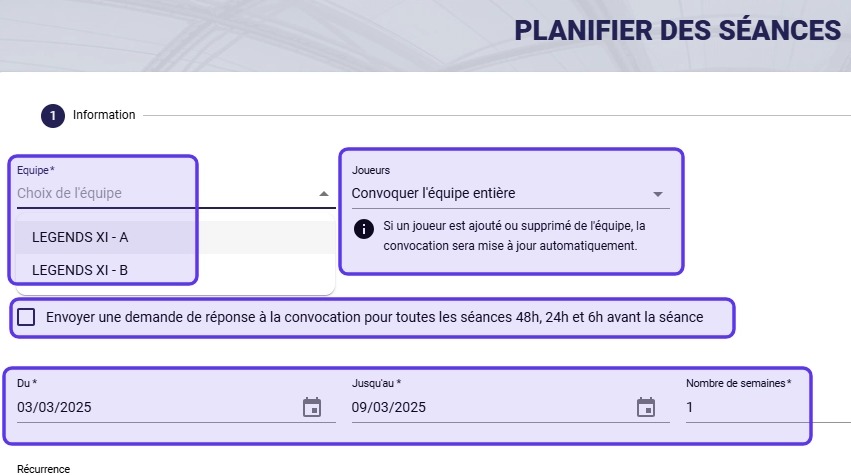
Team, type, attendance and dates
Simple recurrence
Simple recurrence repeats the same session every week, on the days you choose — the default mode for a regular weekly schedule.
-
Leave the Recurrence option set to Every week on selected days.
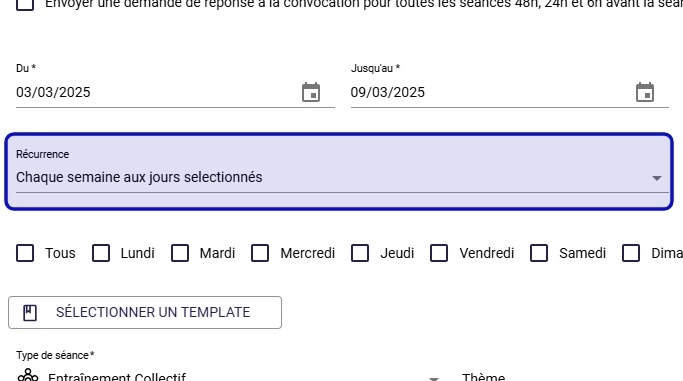
Weekly recurrence selected
-
Then configure:
- The days to plan your sessions for
- The session itself (type, theme, tags, time and duration, form, facilities)
- Visibility to players
Then click NEXT to see a summary of your plan, or FINISH to confirm it.
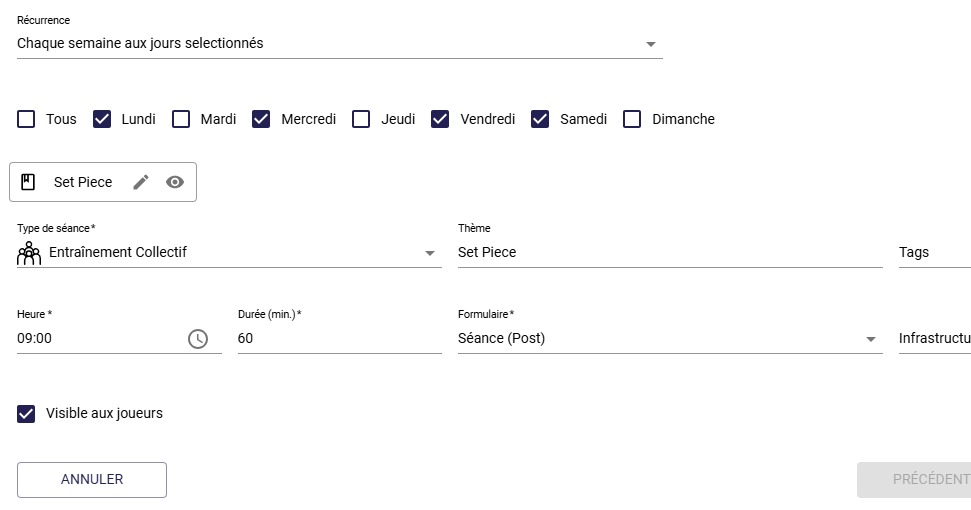
Days, session and visibility
Advanced recurrence
Advanced recurrence goes further: it lets you plan several different sessions per day, each with its own type, tags and form — useful for a schedule that varies by day or by group.
-
At the Recurrence selection step, choose the Several different recurring events option, then click NEXT.
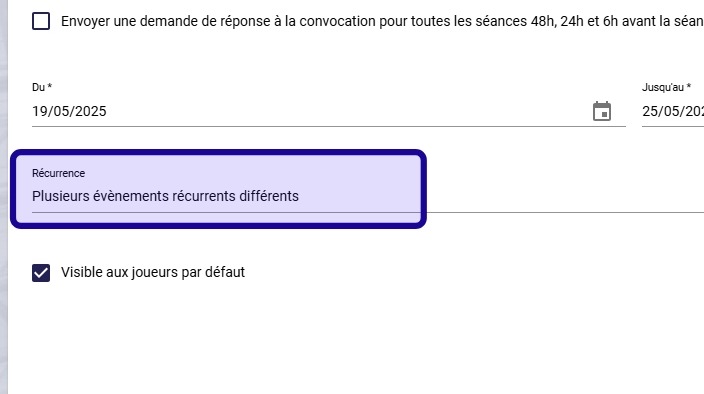
Advanced recurrence selected
-
As with simple recurrence, select the days to plan. Each day is then configured independently of the others.
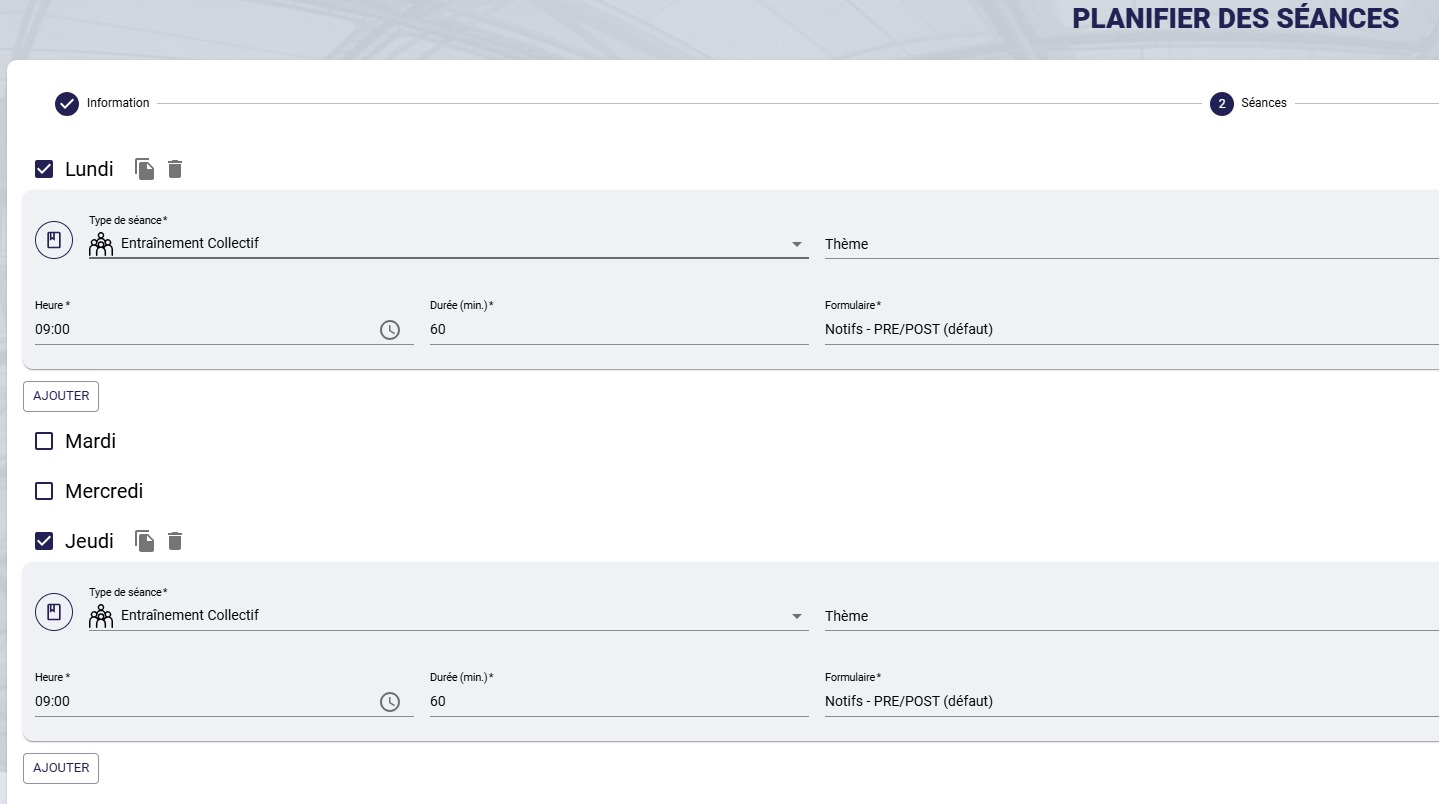
Each day configured independently
Save time on repeating daysIf several days share the same setup (same session, same times, same tags), there's no need to re-enter everything: click the Copy icon on the day you already configured, then Paste it onto the other day or days concerned. You can still adjust each pasted day individually afterwards if needed.
-
If needed, define periods (holidays, breaks, etc.) to exclude from the plan. Then click NEXT to see a summary of your plan, or FINISH to confirm it.

Periods and exclusions
Need help
Email support@mycoachpro.io with any questions about planning your sessions.