Review your players after a game
The Player review tab lets you rate and comment on each player's performance after a game.
Review your players
-
Open a game, then click the Player review tab. Each squad player appears with their position.
-
For each player, enter:
- their Rating;
- their playtime (stopwatch icon), pre-filled from the lineup and the match events;
- a Comment on their performance.
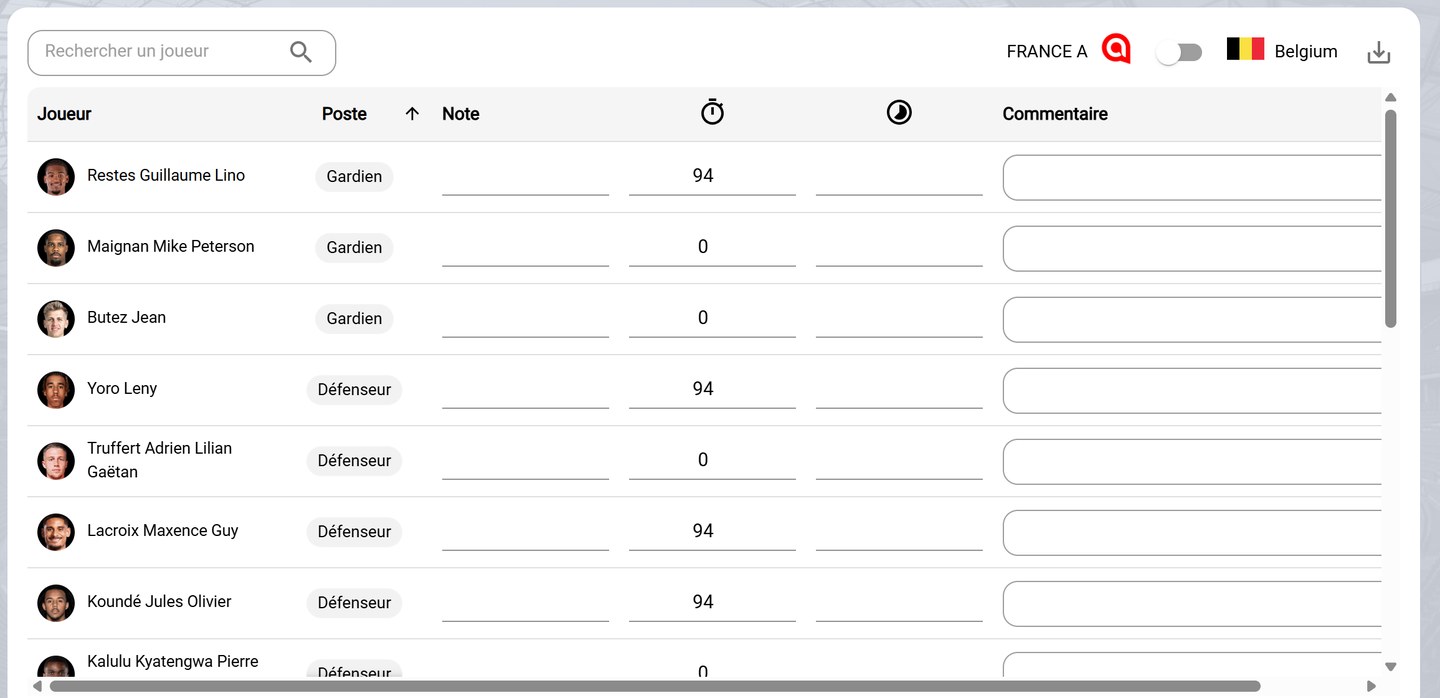
The player review
-
Use Search a player to find a player, and click Position to sort the list.
Review the opposing team
- The toggle, at the top right, switches between your team and the opposing team, so you can review its players too.
Export the review
- Click the download icon to export the review.
Need help
Email support@mycoachpro.io for any question about player reviews.