View a game's statistics
On an official game, the Statistics tab shows each player's statistics, with goalkeepers and field players listed separately.
The Statistics tab only appears on games synchronized from your official calendar.
View the statistics
-
Open an official game, then click the Statistics tab. Choose the Team and the Player position to display.
The statistics are split into two tables, Goalkeepers and Field players. Each row shows the player's status (starter, substitute, unused substitute) and their playing time.
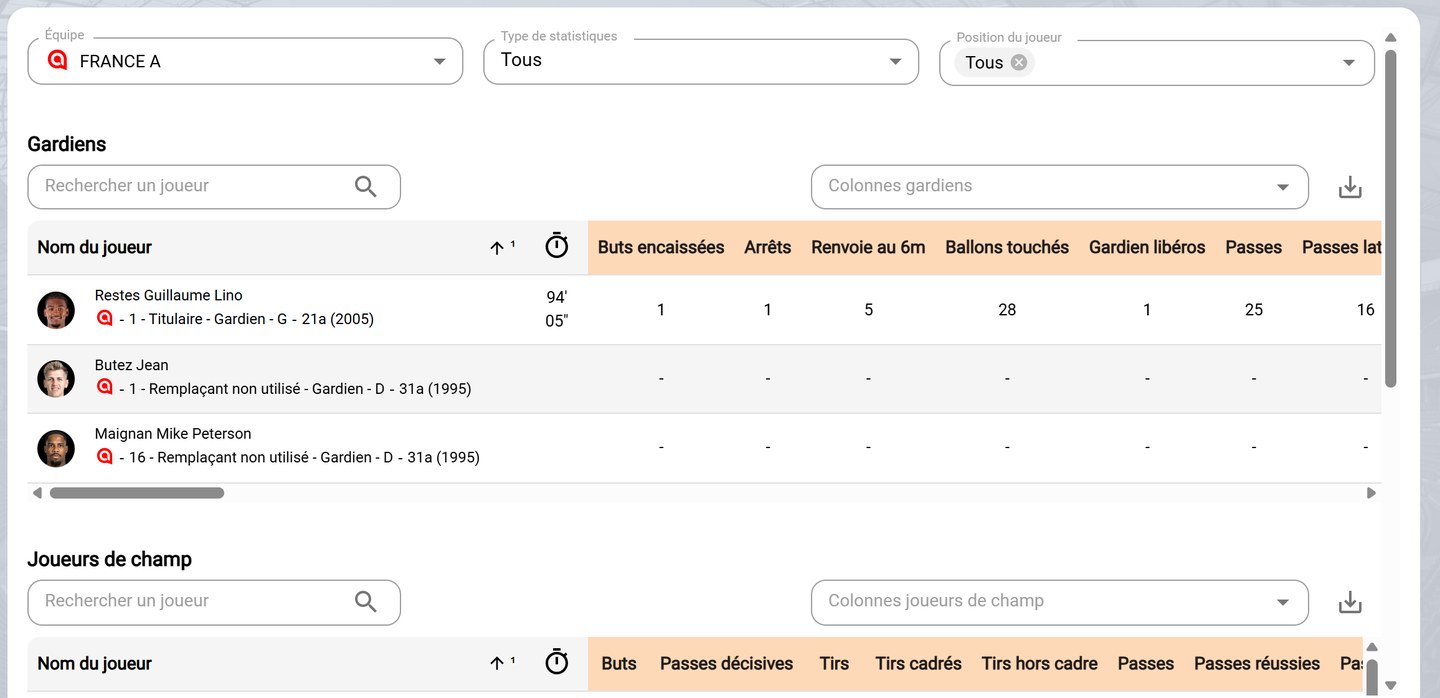
A game's statistics
-
The Statistics type field filters the data displayed: Game Stats (goals, shots, passes, duels, etc.), Fitness Data (distances, efforts per speed zone, etc.) or Player Ratings.
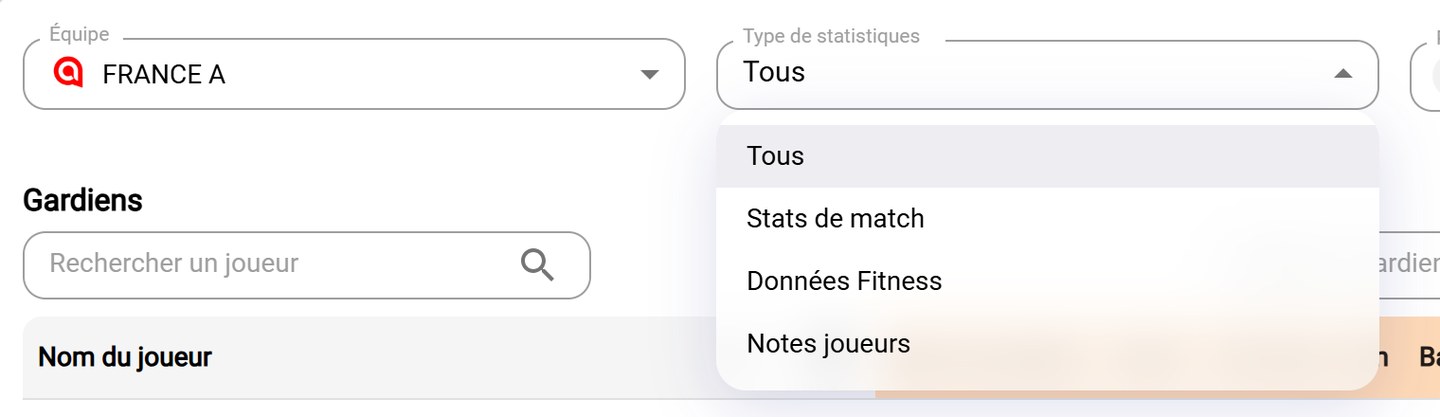
The statistics types
Available dataThe types offered depend on the data provided for the game. If no data exists for a type, the table says so.
Customize and export
- For each table:
- Search a player filters the rows;
- Goalkeepers's columns and Field players's columns choose the statistics displayed;
- click a column header to sort;
- the download icon exports the table.
Need help
Email support@mycoachpro.io for any question about game statistics.