Track player attendance
The Players attendance tab shows, for each player, their session attendance rate and their attendance day by day over the chosen period.
Show player attendance
-
Click the Players module, then the Players attendance tab.
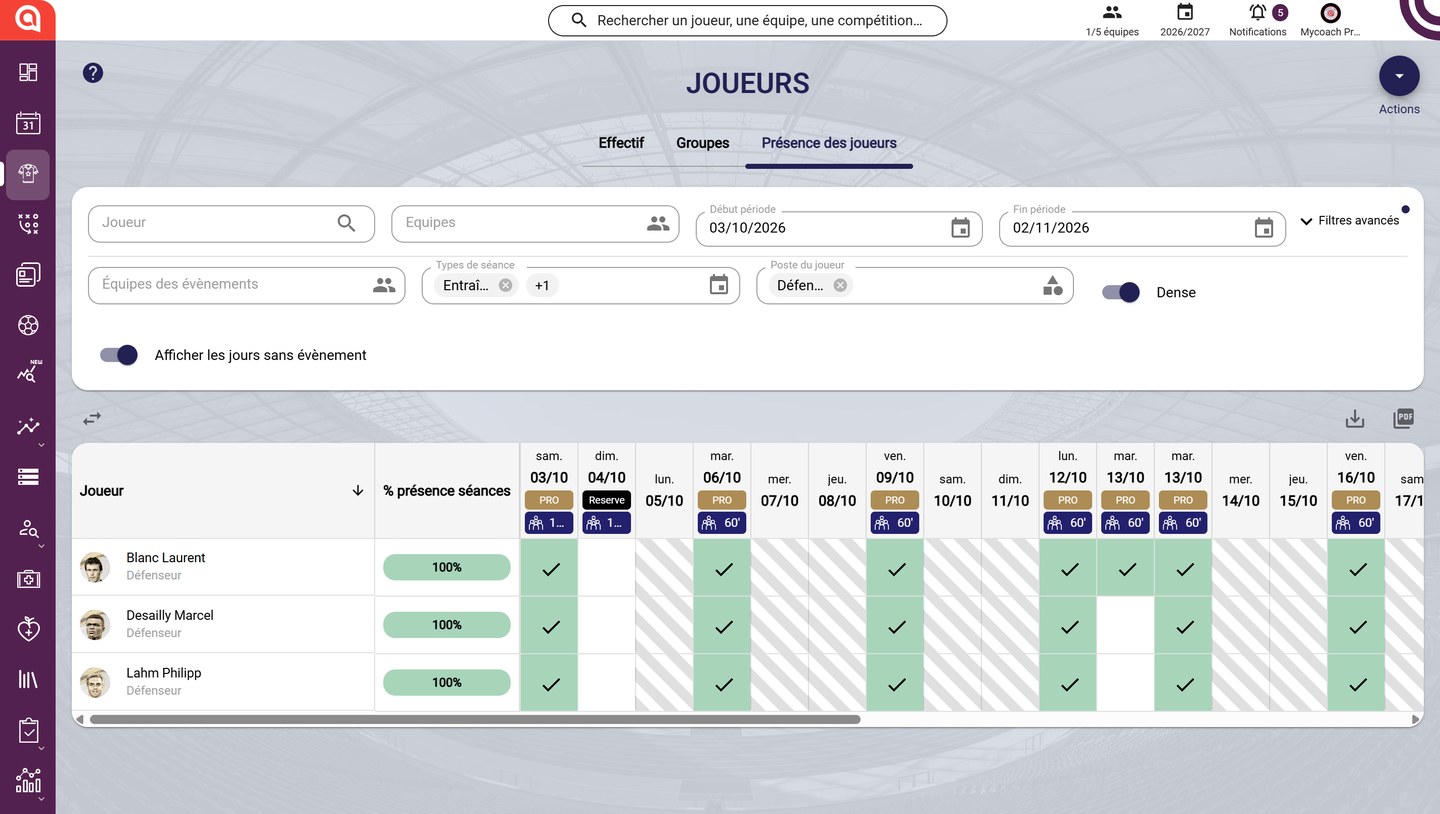
The Player attendance tab
-
Search for a player, choose the teams and the period (Start / End).
Refine the view
-
Expand Advanced filters to filter by event teams, session types and player position. Two options adjust the table:
- Dense reduces the row height;
- Display days without event shows or hides the days without a session.

The advanced filters
Read the table
-
Each column is a day, with the session's team and duration. A green ticked box means the player was present; a hatched box means there was no session that day.
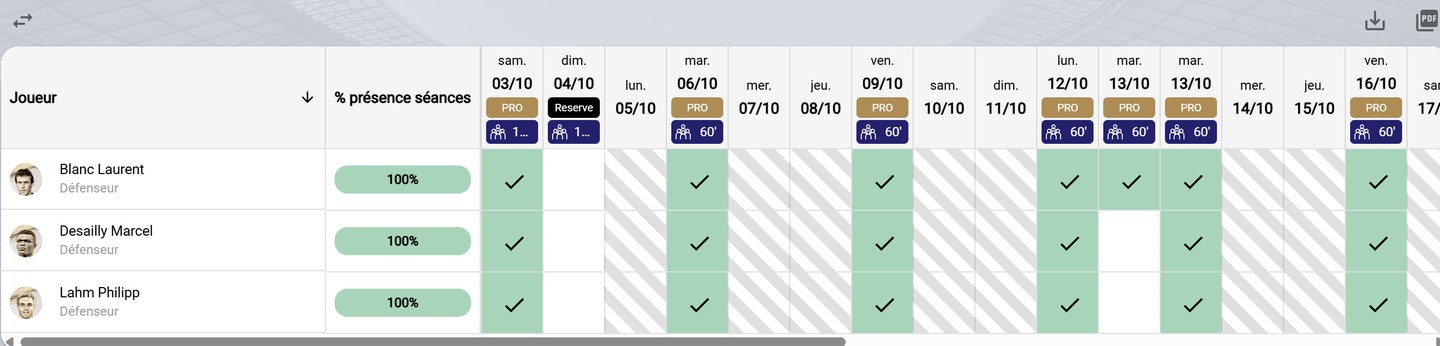
The attendance table
Change the order and export
-
The ⇄ icon, on the left above the table, reverses the date order. On the right, the download and PDF icons export the table.

Date order and export
Need help
Email support@mycoachpro.io with any questions about player attendance.