Name display format
Choose how player names are displayed in MyCoach Pro: "John Doe", "Doe John" or "J.Doe", depending on where they appear.
Choose the default format
-
In Settings, open the Customization tab, then the Name format sub-tab.
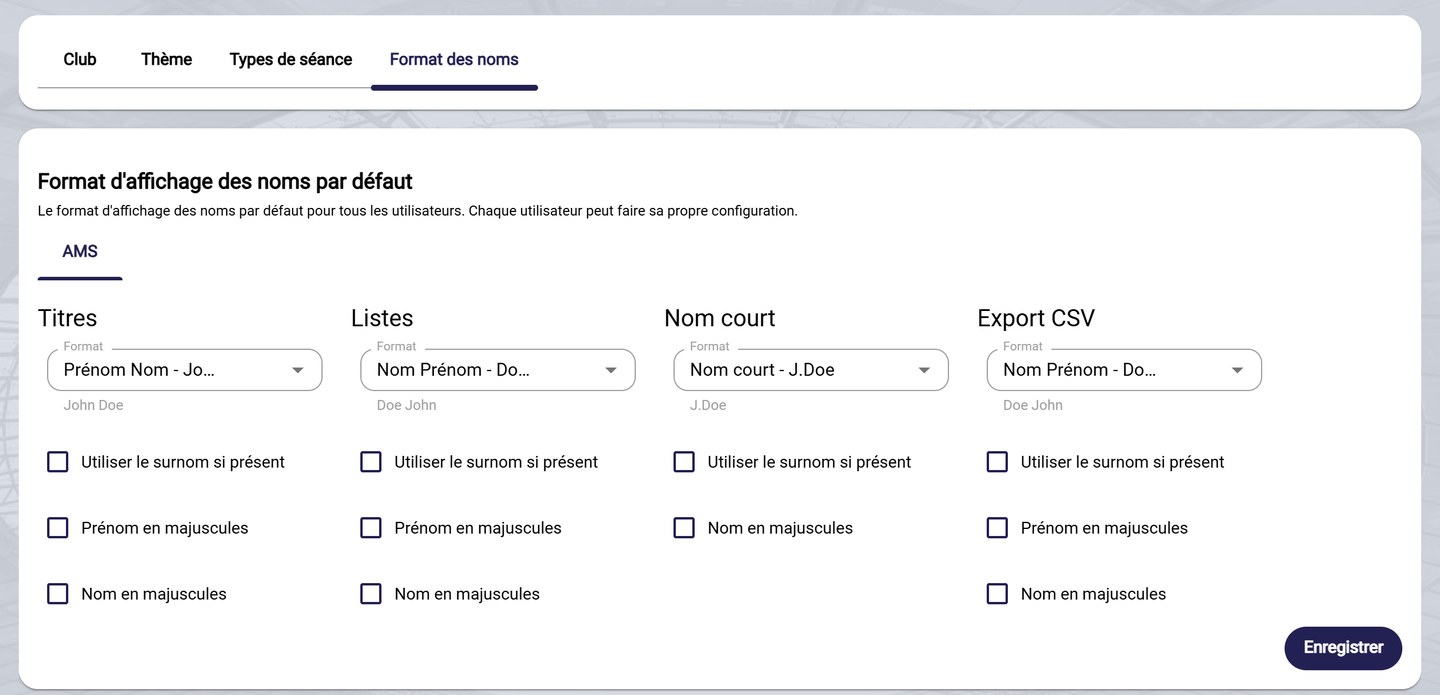
The name display format
-
Set the Format for each location. An example is shown under the field:
- Titles: page headers, for example a player's profile;
- Lists: tables and lists of players;
- Short: when space is limited, for example "J.Doe";
- CSV Export: exported files.
-
For each location, tick if needed:
- Use nickname if defined, to show the player's nickname instead of their first and last name;
- Capitalize first name and Capitalize last name.
-
Click Save.
Default setting
This format applies by default to all users of the club. Each user can then choose their own format.
Need help
Email support@mycoachpro.io with any questions about how names are displayed.