Session types
Session types (Team training, Physio / Treatment, Strength training, Video…) are used to classify your sessions. In the settings, choose which ones your staff can use, their order and their color.
Manage session types
-
In Settings, open the Customization tab, then the Session types sub-tab.
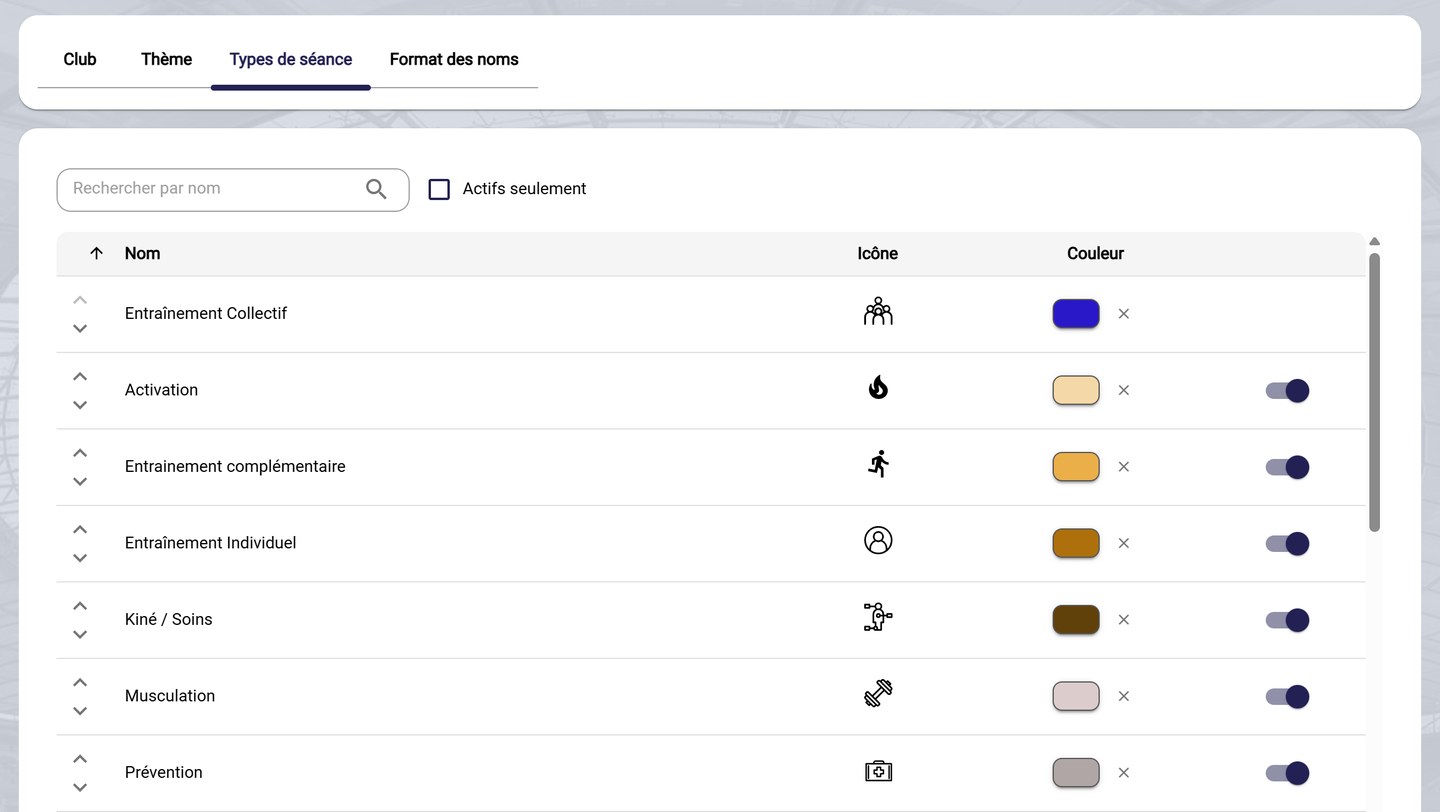
The session types
-
Each row shows the type's name, its icon and its color. For a row:
- the arrows on the left change the order in which the types are offered;
- the Color dot changes the type's color; the cross clears the chosen color;
- the switch on the right enables or disables the type. A disabled type is no longer offered when creating a session.
Default typeTeam training (Entraînement Collectif) cannot be disabled.
-
Use Search by name to find a type, and tick Enabled only to hide disabled types.
-
Click Save.
Need help
Email support@mycoachpro.io with any questions about session types.