Period tags and block tags
Tags group your data under a single name so you can compare it: period tags for the periods of your sessions and games (warm-up, first half…), block tags for the blocks of your sessions.
Period tags
-
In Settings, open the Period tags tab.
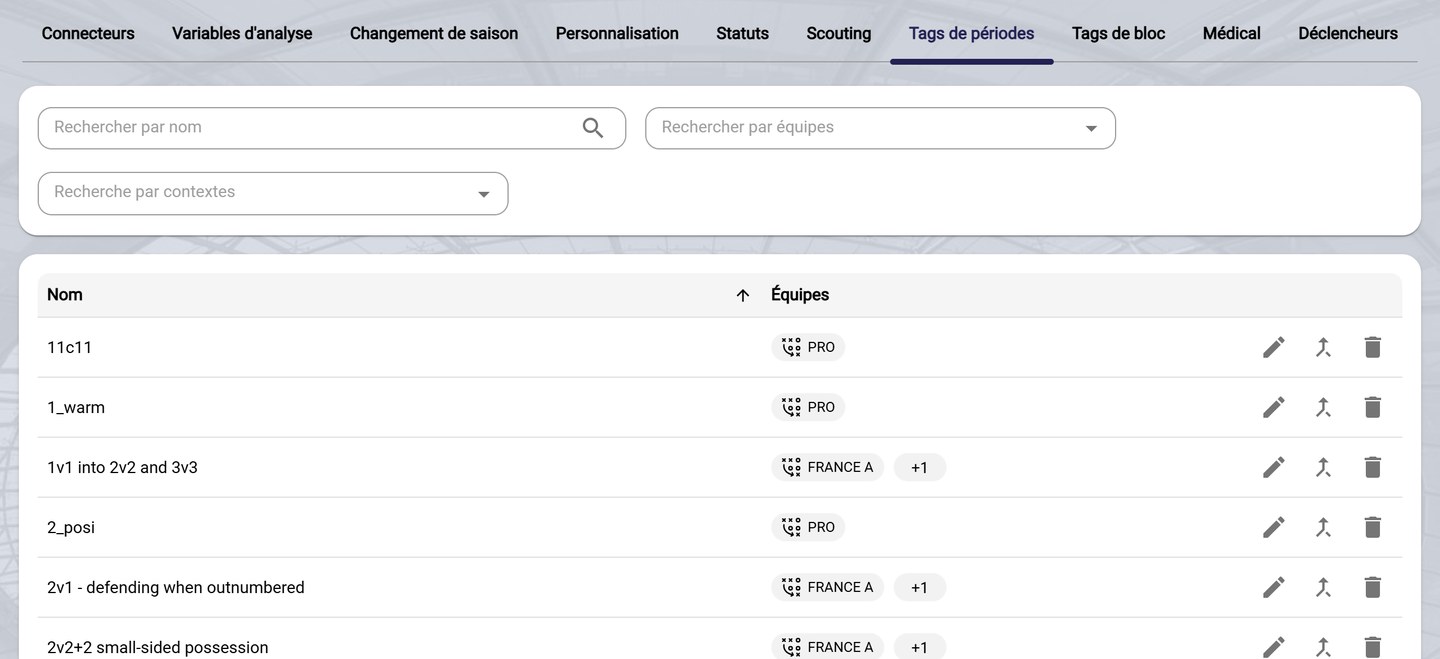
The period tags
-
Filter the list by name, by team or by context (Training or AMS Game).
-
On each row:
- the pencil renames the tag and changes its teams. A period tag's name must be in lowercase;
- the merge icon combines two tags into one;
- the bin deletes the tag.
-
To merge, choose the tag to merge the row's tag with, check the Teams, then click Save.
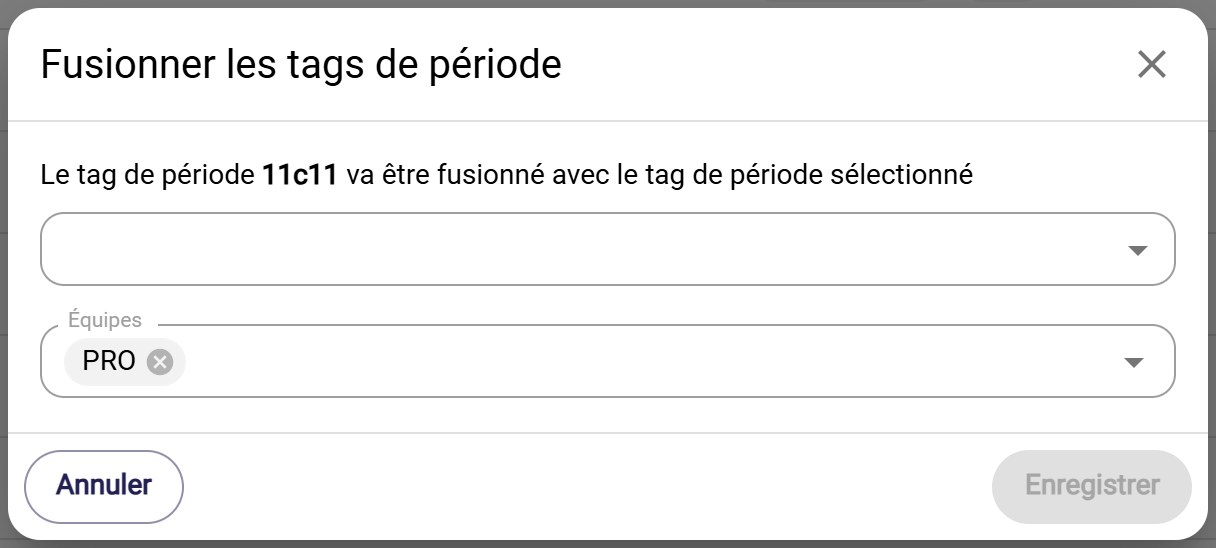
Merging two period tags
When to merge?Merge duplicates, for example "first half" and "1st half", so that all first-half data is analyzed together.
Block tags
-
Open the Block tags tab.
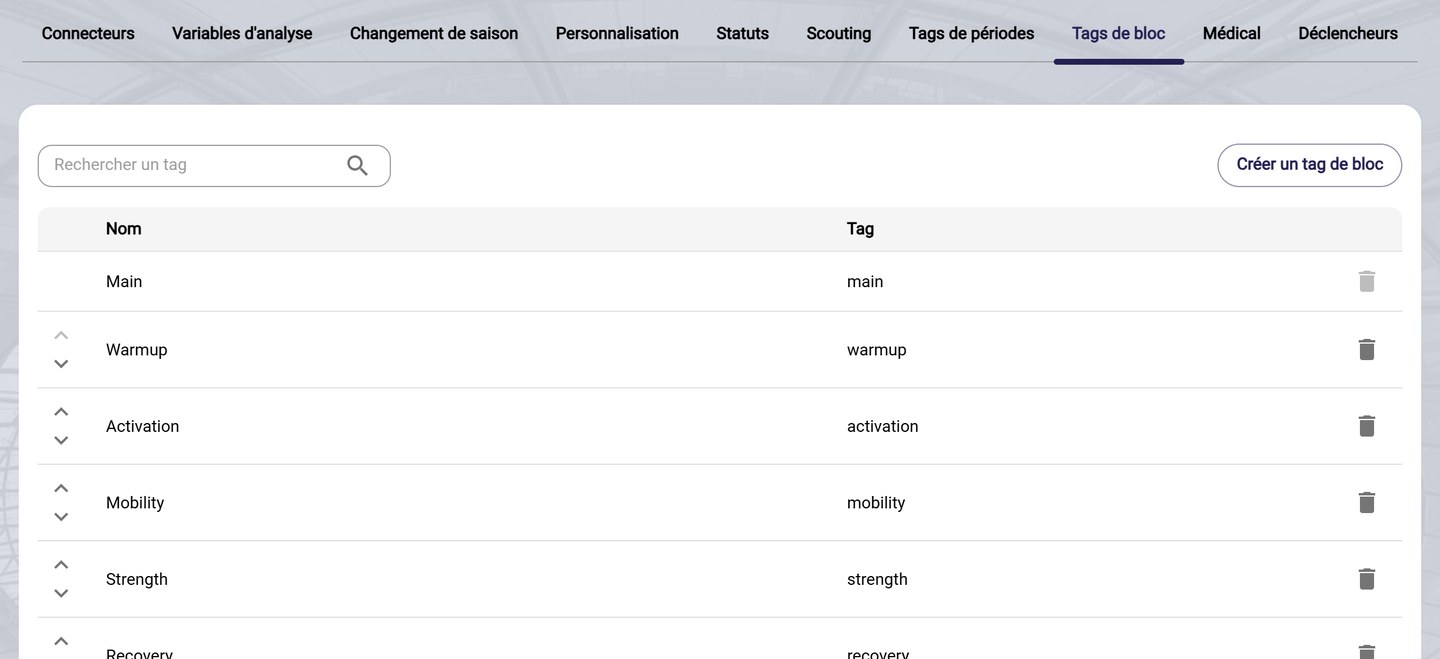
The block tags
Each tag has a Name and a technical Tag. By default, you will find Main, Warmup, Activation, Mobility, Strength, Recovery and Cooldown.
-
The arrows change the order of the tags, and the bin deletes one. The Main tag cannot be deleted.
-
To add a tag, click Create a block tag, then Save.
Need help
Email support@mycoachpro.io with any questions about tags.