Use community exercises
The Community tab gives you access to thousands of exercises shared by coaches in the MyCoach Pro community.
Search the community
-
Click the Exercises module, then the Community tab.
-
Type a word in Search and narrow down with the filters: intensity, main and secondary themes, age categories, duration and language. Check My cards to show only your own shared exercises. Choose the order in Sort by, then click SEARCH.
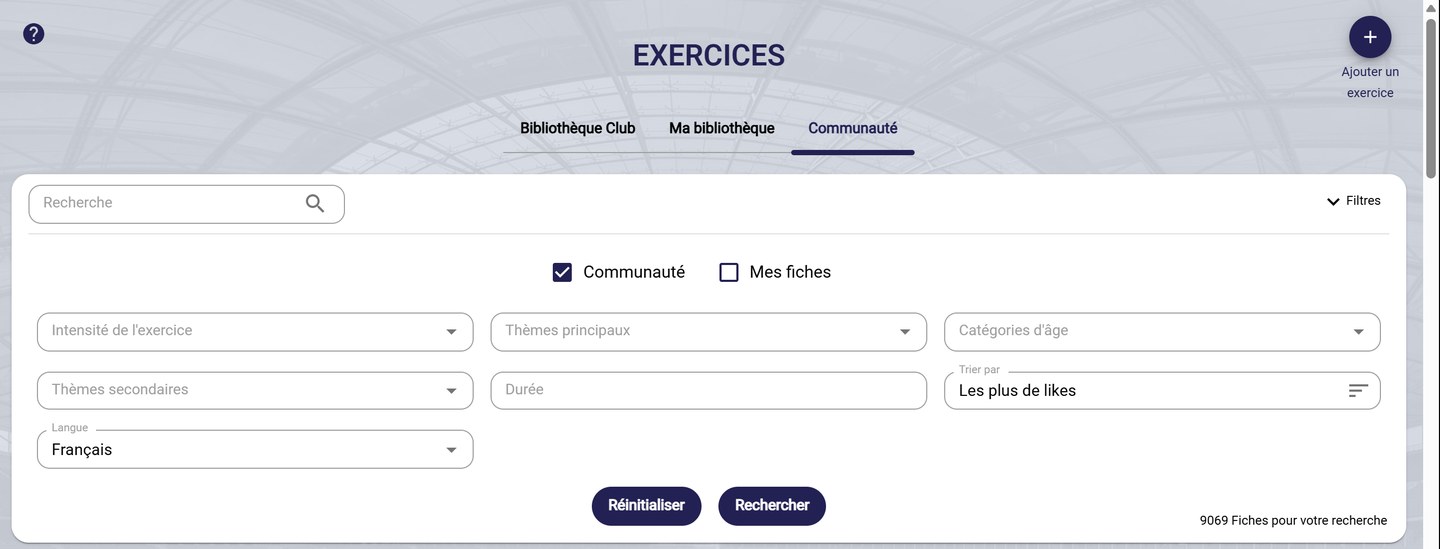
Searching the community
-
Each sheet shows its author, its duration and its tags, as well as its number of likes, favorites and sessions that use it. Click it to open it, and add it to your favorites to find it in My library.
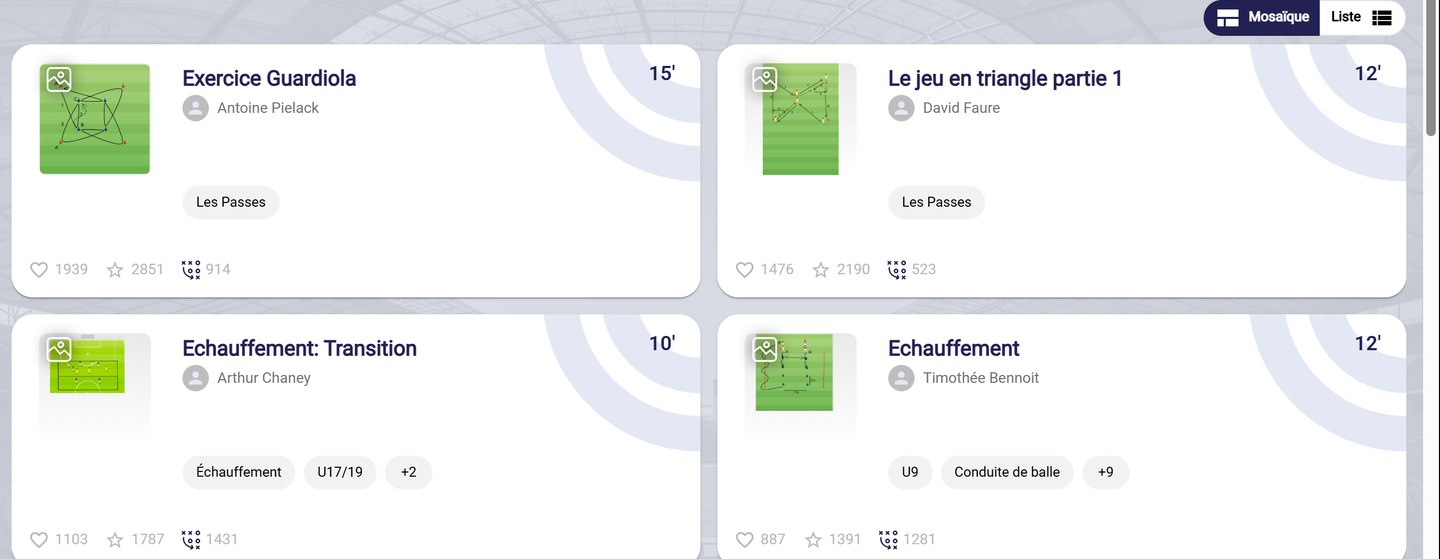
Community exercises
Share an exercise
-
Click Add an exercise, then Add community exercise. The form is the same as for a club exercise: see Create an exercise.
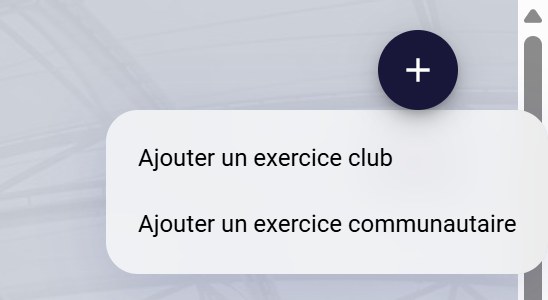
Add a club or community exercise
Visible to everyoneA community exercise is visible to all MyCoach Pro users. For an exercise restricted to your club, choose Add club exercise.
Need help
Email support@mycoachpro.io with any questions about community exercises.