Search for an exercise in the library
The Club library tab of the Exercises module brings together your exercises and your club's exercises.
Search for an exercise
-
Click the Exercises module. The Club library tab opens.
-
Type a word in Search, then choose My cards (your exercises) or My club (exercises from the whole club).
-
Narrow down with the filters: authors, teams, tags, exercise intensity, body part, anterior or posterior chain, limb, target muscle group, duration and usable by players. Choose the order in Sort by, then click SEARCH. RESET clears the filters.
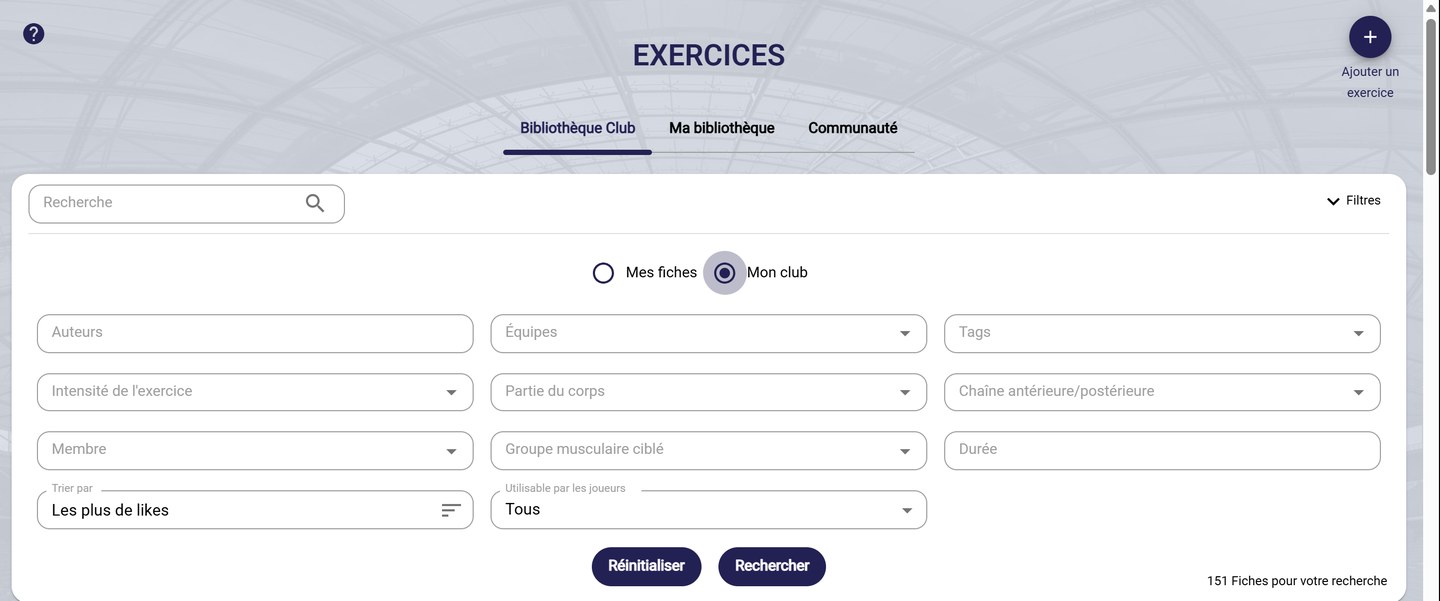
The search and filters
Change the view
-
In Mosaic view, each sheet shows its visual, its author, its duration and its tags, as well as its likes, its favorites and the number of sessions that use it.
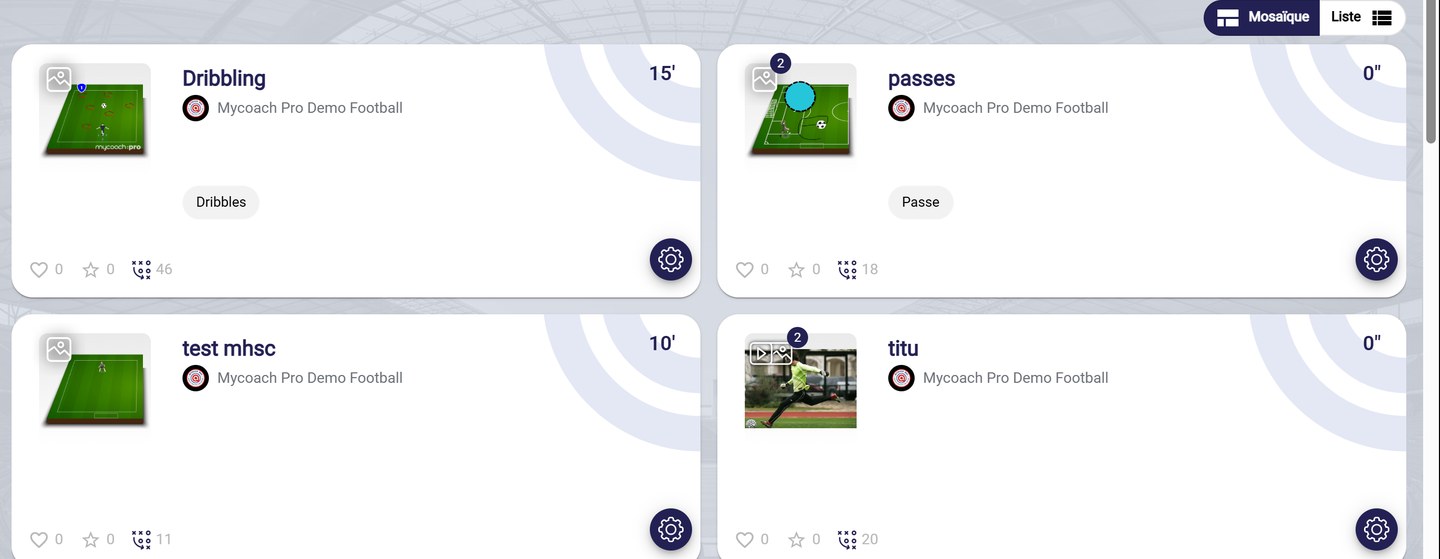
The Grid view
-
In List view, exercises are shown in a table: title, documents, duration, tags and author.
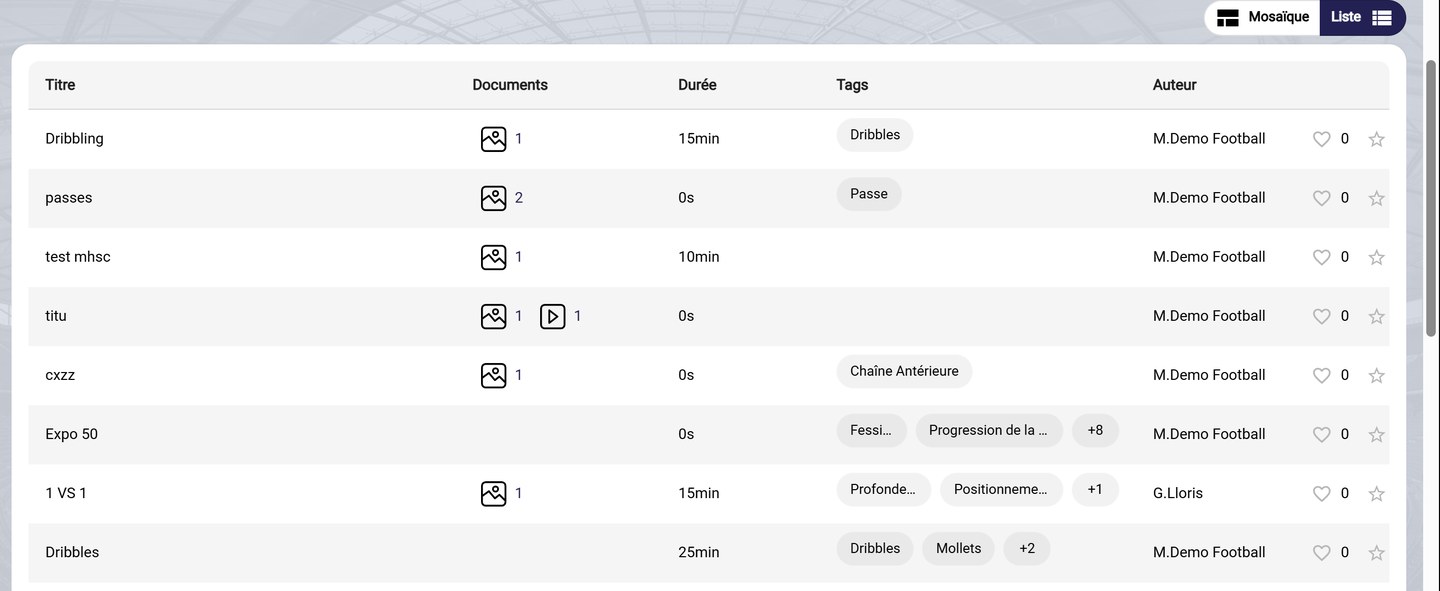
The List view
Click a sheet to open it: see View and manage an exercise.
Need help
Email support@mycoachpro.io with any questions about the exercise library.