Manage your game systems
Game systems define where your players are placed on the pitch in lineups. MyCoach Pro offers many predefined ones, and you can create your own.
View the game systems
-
In the Games module, click the Game systems tab. Each system shows its number of players, its author and whether it is Predefined.
Use Search and Number of players to filter the list, then See more to open a system.
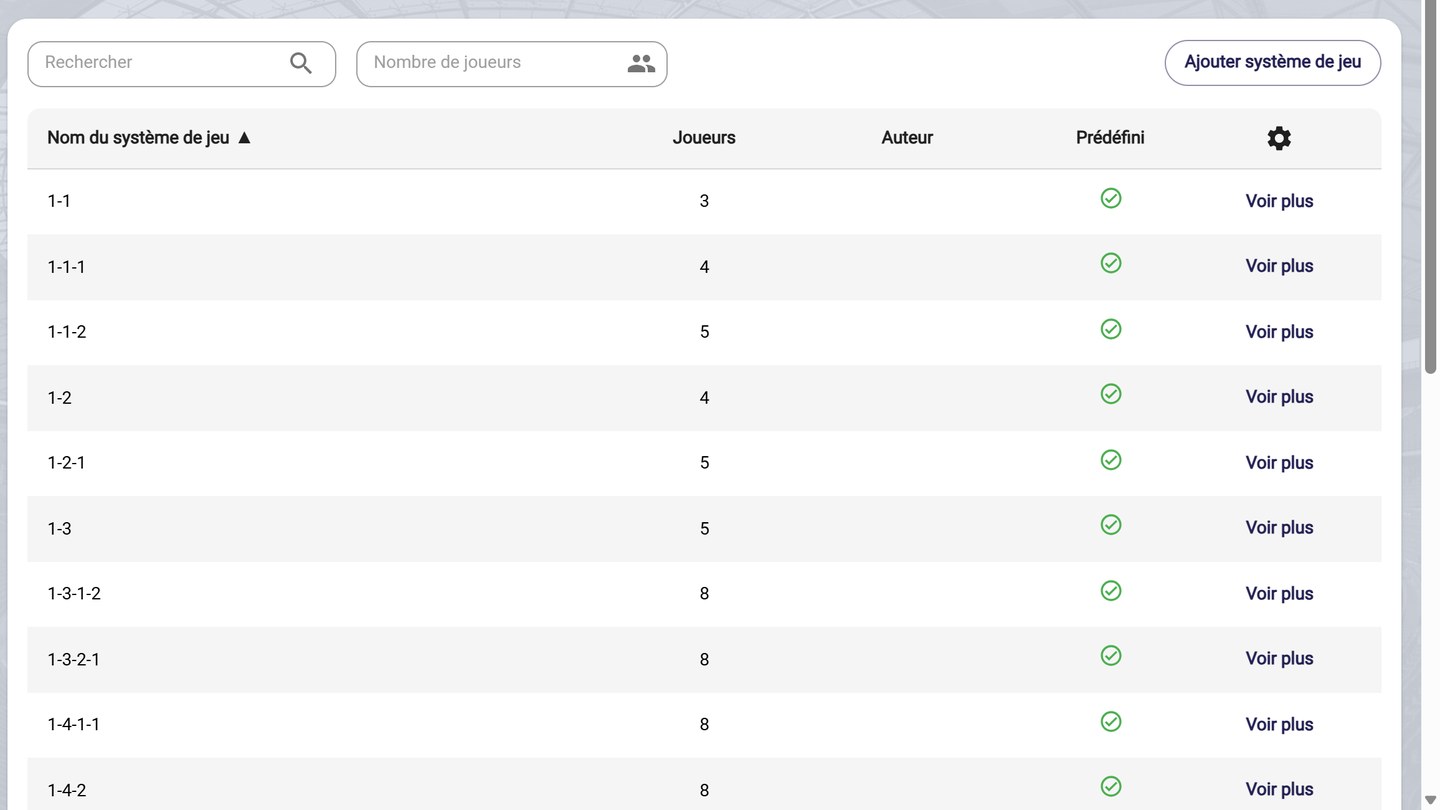
The list of game systems
Create a game system
-
Click Add game system. Choose Create new game system to start from an empty pitch, or Duplicate from another game system to start from an existing system. Then click Add.
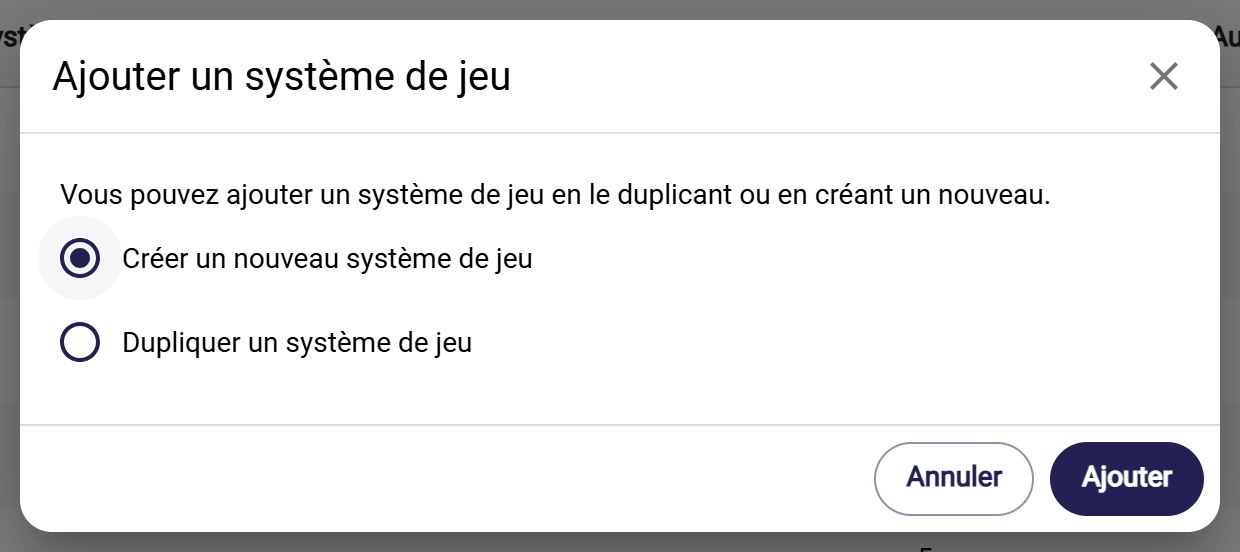
Add a game system
Immediate creationThe game system is created as soon as you click Add. Remember to name it and save it, or to Delete it if you don't need it.
-
Give your system a Name. In Edition mode, click the shirts on the pitch to select the positions used. Switch to Visualization to check the placement, then click Save.
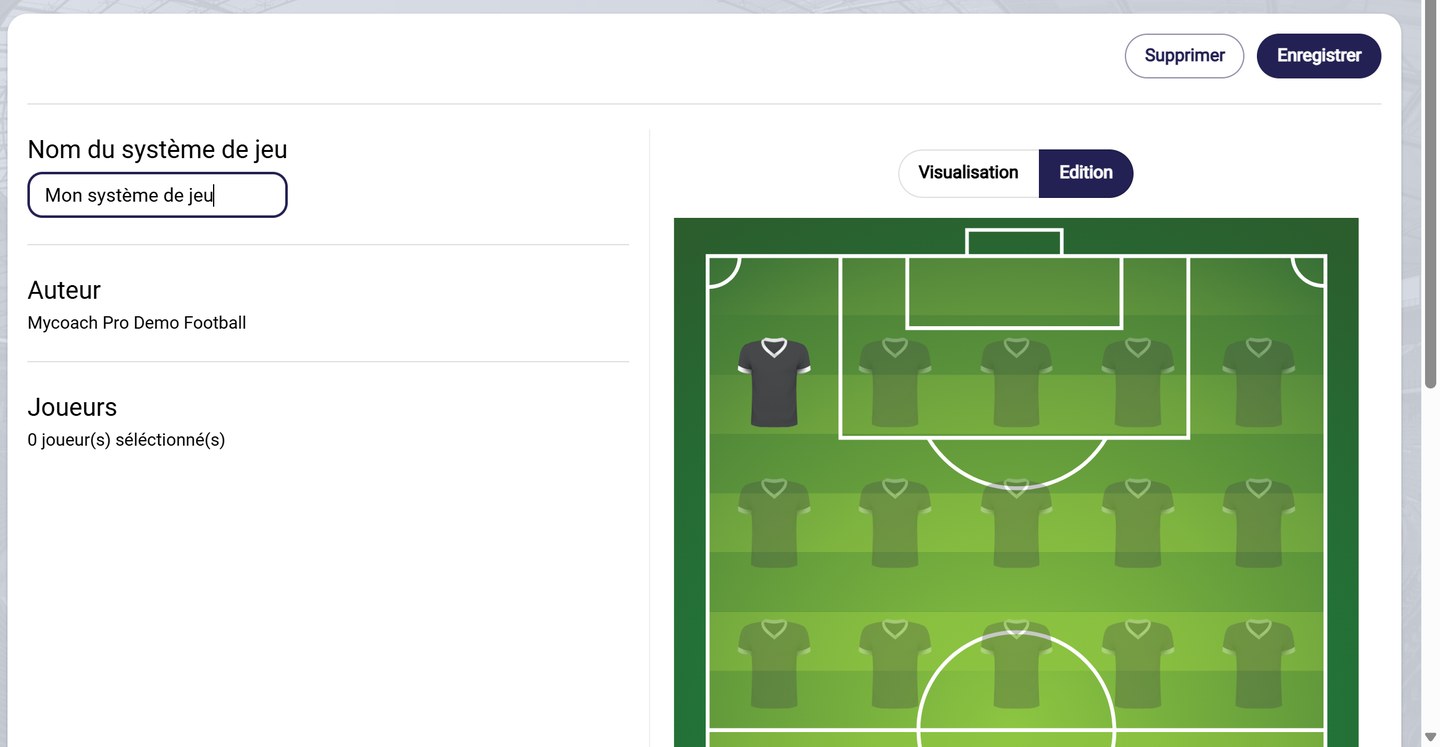
The game system editor
Your game systems are offered when you set up your games' lineups: see Configure a match.
Need help
Email support@mycoachpro.io for any question about game systems.