Book a facility
The calendar's Infrastructures tab shows the occupancy of your pitches, rooms and vehicles, and lets you book them.
Check the facilities schedule
-
Click the Calendar module, then the Infrastructures tab. Each booking shows the time, the team, the facility and its organiser.
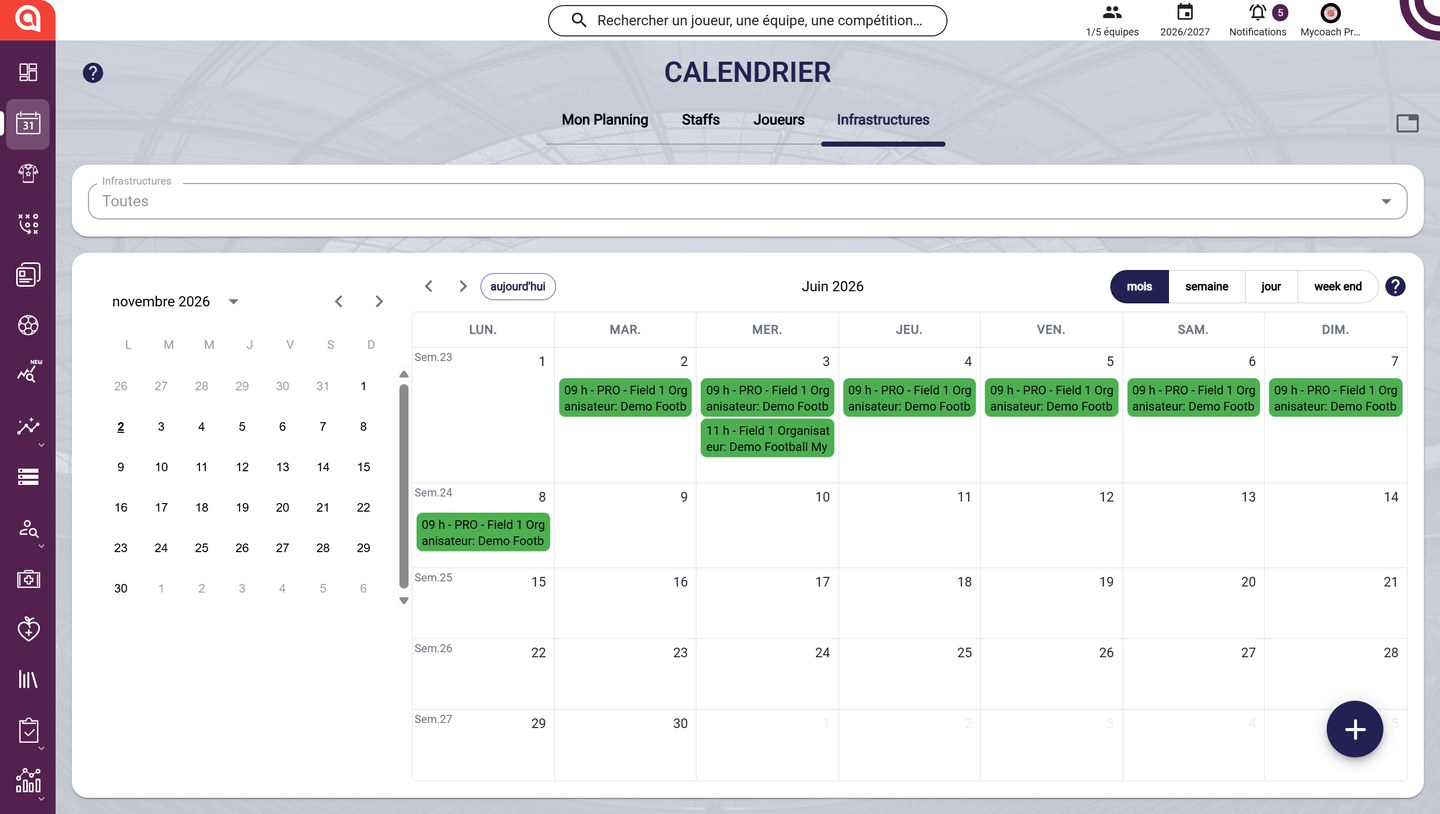
The facilities schedule
-
In the Infrastructures field, choose one or more types (Pitch, Meeting room, Gym, Vehicle) to display only those.

The facilities filter
Book a facility
-
Click the + button, then Book.
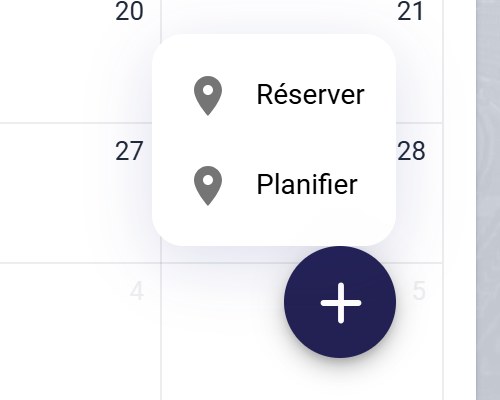
The Book and Schedule options
-
Enter the title, the infrastructure type, the start and end dates and the training center, then click NEXT.
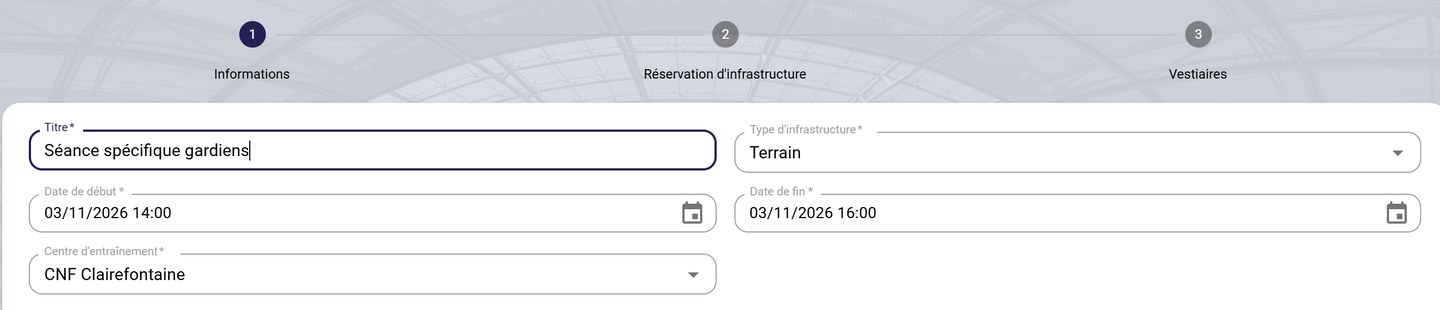
The booking information
-
Choose the facility on the centre map, then click NEXT. Book locker rooms if needed, then click CREATE BOOKING.
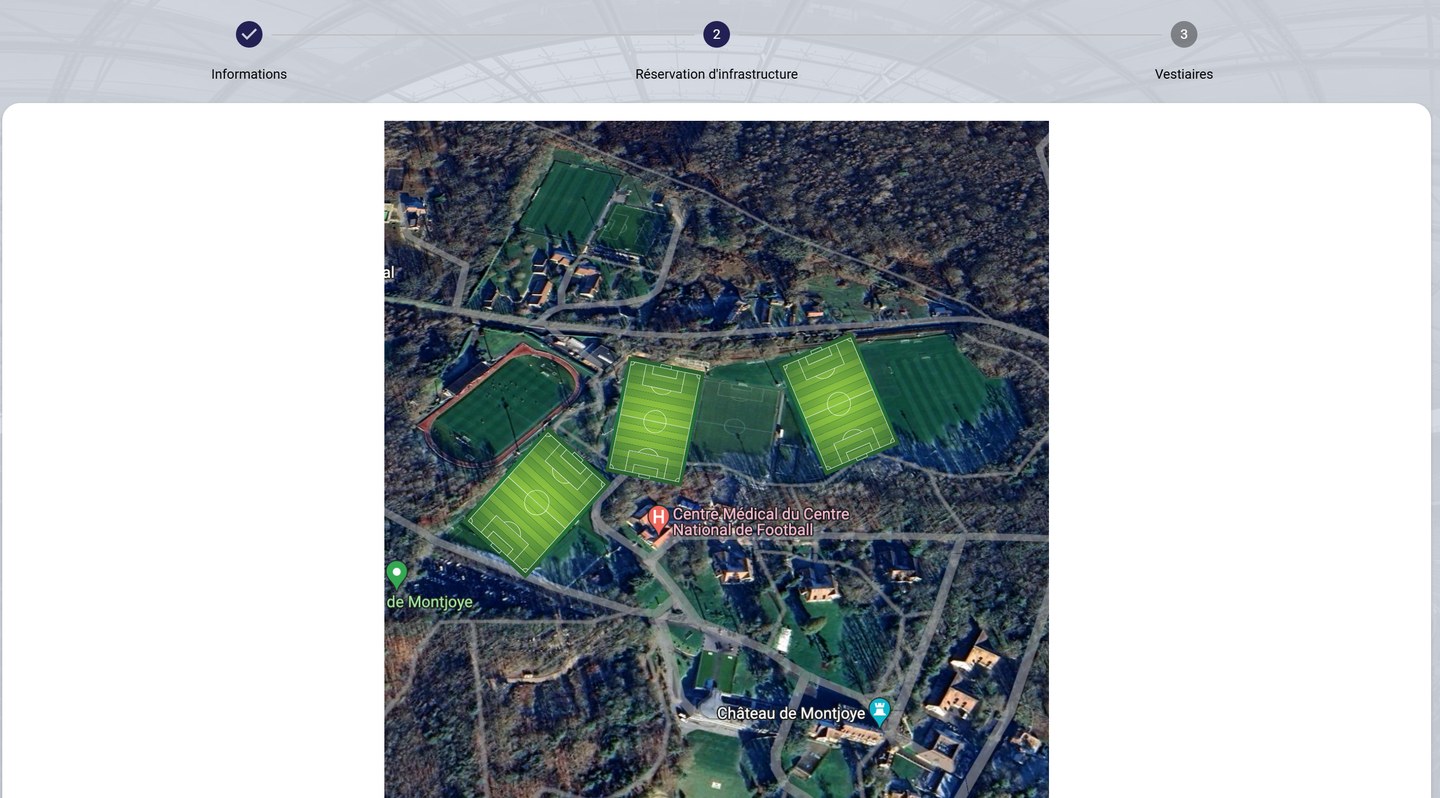
Choosing the facility
Book every week
-
For a recurring booking, click the + button, then Plan. Choose the period (From / Until) or the number of weeks, check the relevant days, then enter the title, the infrastructure type, the training center and the start and end times.
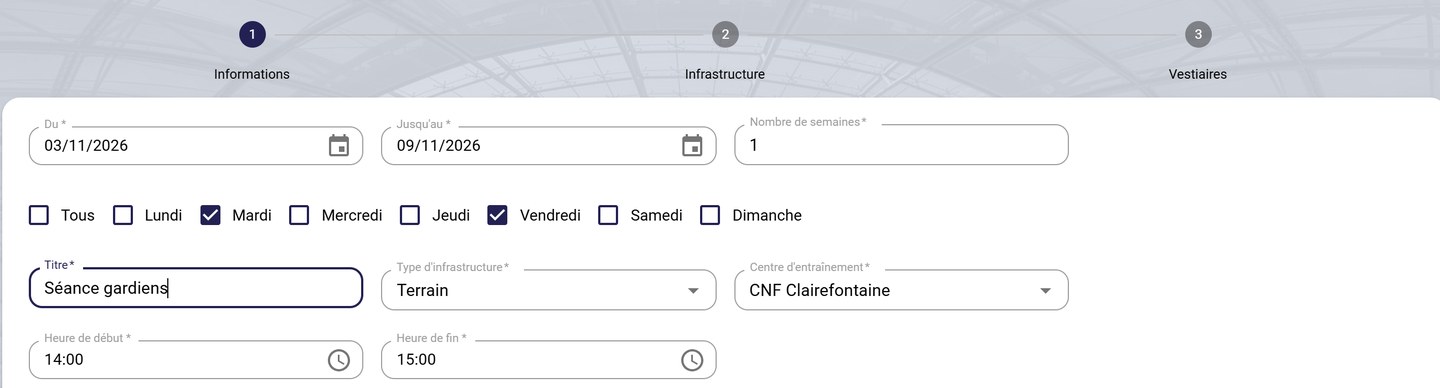
Scheduling a booking
-
Click NEXT to choose the facility and the locker rooms, then SUBMIT MY RESERVATION.
Book from a sessionYou can also book a facility when creating a session. The Infrastructure booking step is part of the session form.
Need help
Email support@mycoachpro.io with any questions about booking facilities.