Create a gathering
A gathering brings players together over several days around a head coach: a training camp, a national squad get-together, a talent identification day…
Create a gathering step by step
-
Click the Calendar module, then the + button, and choose Create a gathering.
-
Choose the team, enter the title, then choose the head coach. Add the location if needed, then the start and end dates.

The gathering information
-
Click NEXT. Add the invited players and staffs with each contact's +, or ADD ALL. Filter the list by role, team or group. The head coach is already among the guests.
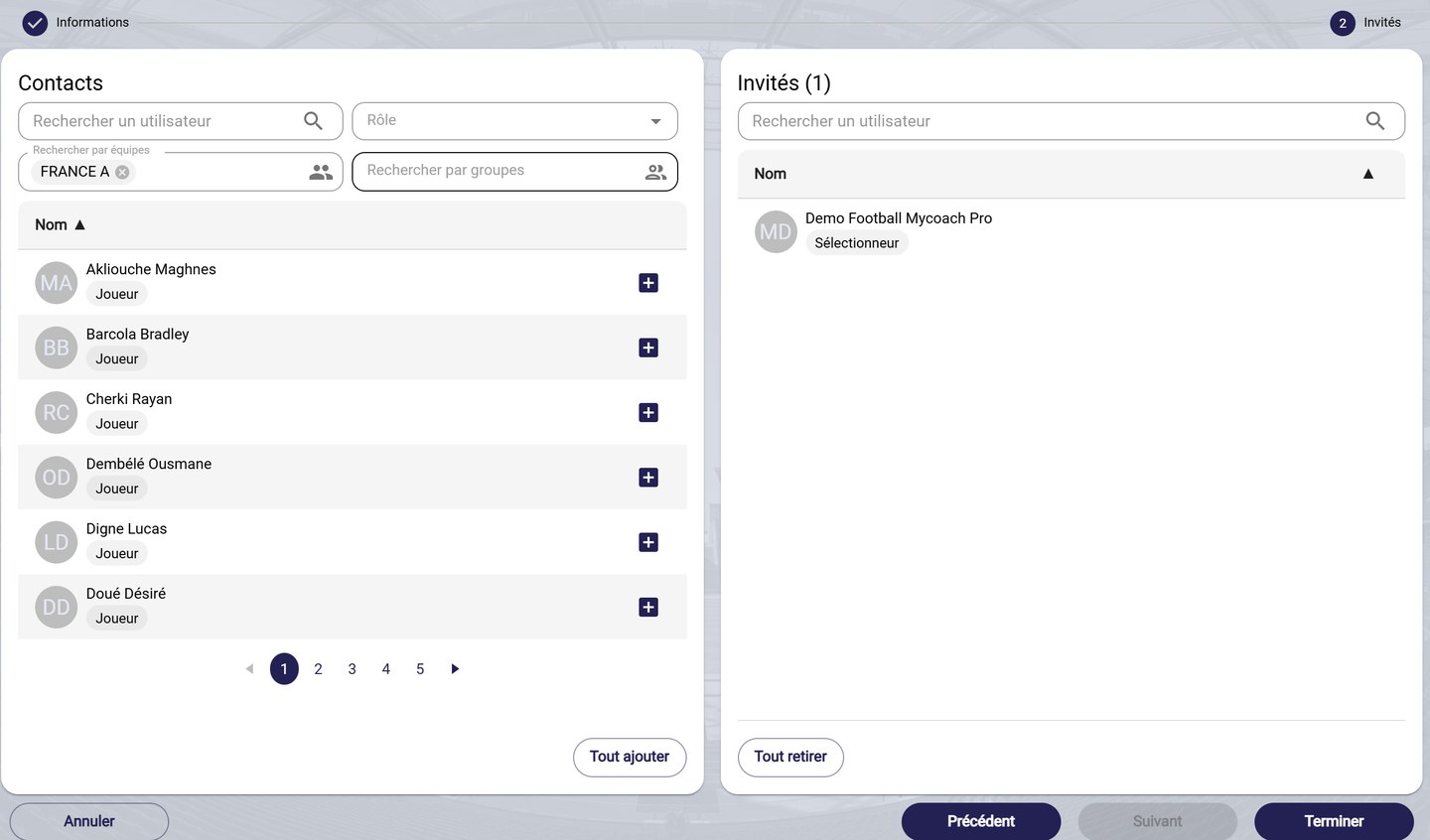
The guest selection
-
Click FINISH. The gathering appears in the calendar.
Find your gatheringsIn the calendar's Filters panel, the Gatherings box shows or hides these events.
Need help
Email support@mycoachpro.io with any questions about gatherings.