Create an event from the calendar
The calendar's + button lets you create all your events: sessions, matches, gatherings, player monitoring, consultations…
Choose the event type
-
Click the Calendar module, then the + button in the bottom right corner. You can also click a date or a time slot in the calendar directly.
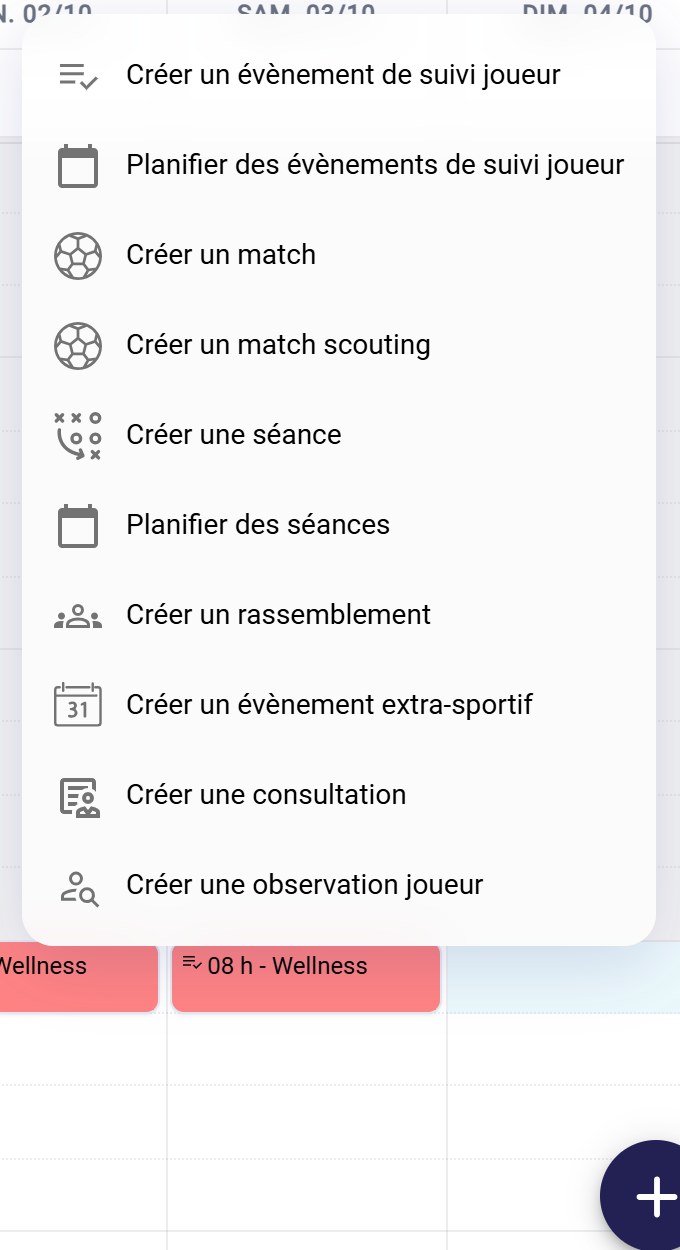
The creation menu
Each option opens a dedicated form:
Option Guide Create player monitoring event See below Plan player monitoring events Configure and schedule a Wellness form Create a game Add a game Create a scouting game A match between two opposing teams, to observe for scouting Create a session Create a session Plan sessions Plan your training sessions Create a gathering Create a gathering Create a non-sporting event See below Create a consultation Consultations Create player observation Assign a scout Options by moduleThe options displayed depend on your account's modules.
Create a non-sporting event
A non-sporting event covers anything that is neither a session nor a match: a meeting, a team outing, an administrative appointment…
-
Choose Create a non-sporting event. Enter the title, the location, a video conference link if needed, then the start and end dates. Turn on All day if needed and add a description.
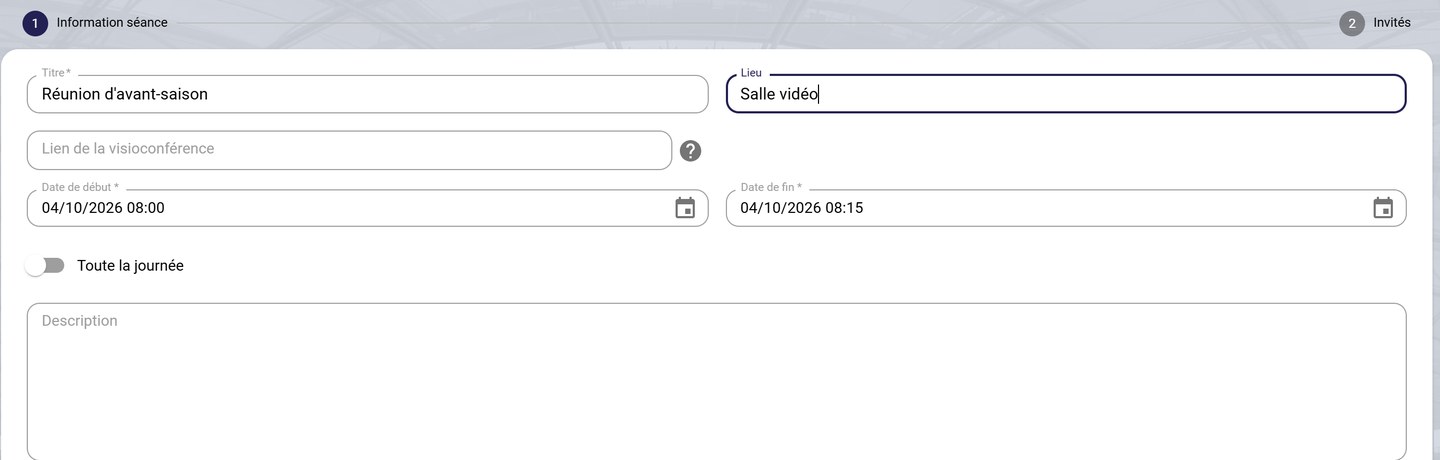
The event information
-
Click NEXT. Add your guests with each contact's +, or ADD ALL. Filter the list by role, team or group. Click FINISH.
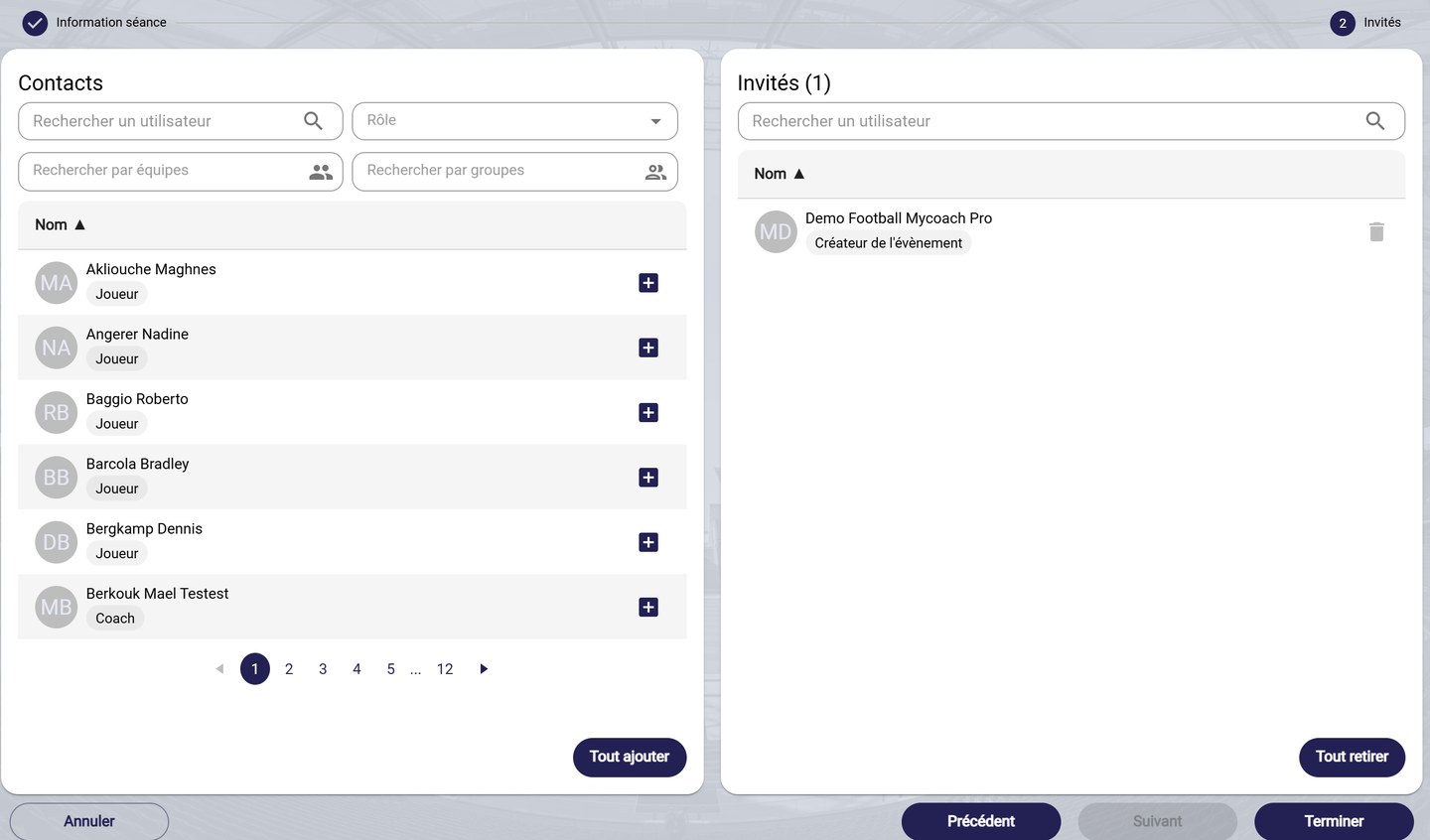
The guest selection
Create a player monitoring event
A player monitoring event sends a form to your players on a given date: weigh-in, interview, test, fitness check…
-
Choose Create player monitoring event. Enter the title, the team, the date, the duration and the event type (Nutrition, Fitness, Weekly tests…). If needed, choose a form, an instruction and a temporal context, then check Visible to players.
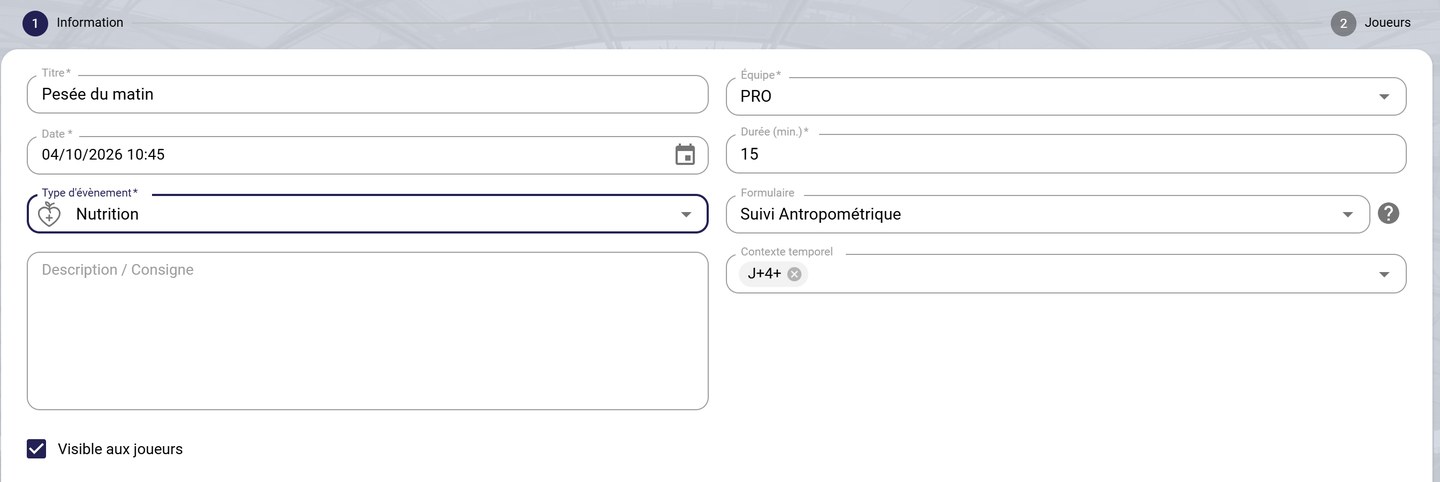
The player monitoring information
-
Click NEXT, add the relevant players, then click FINISH.
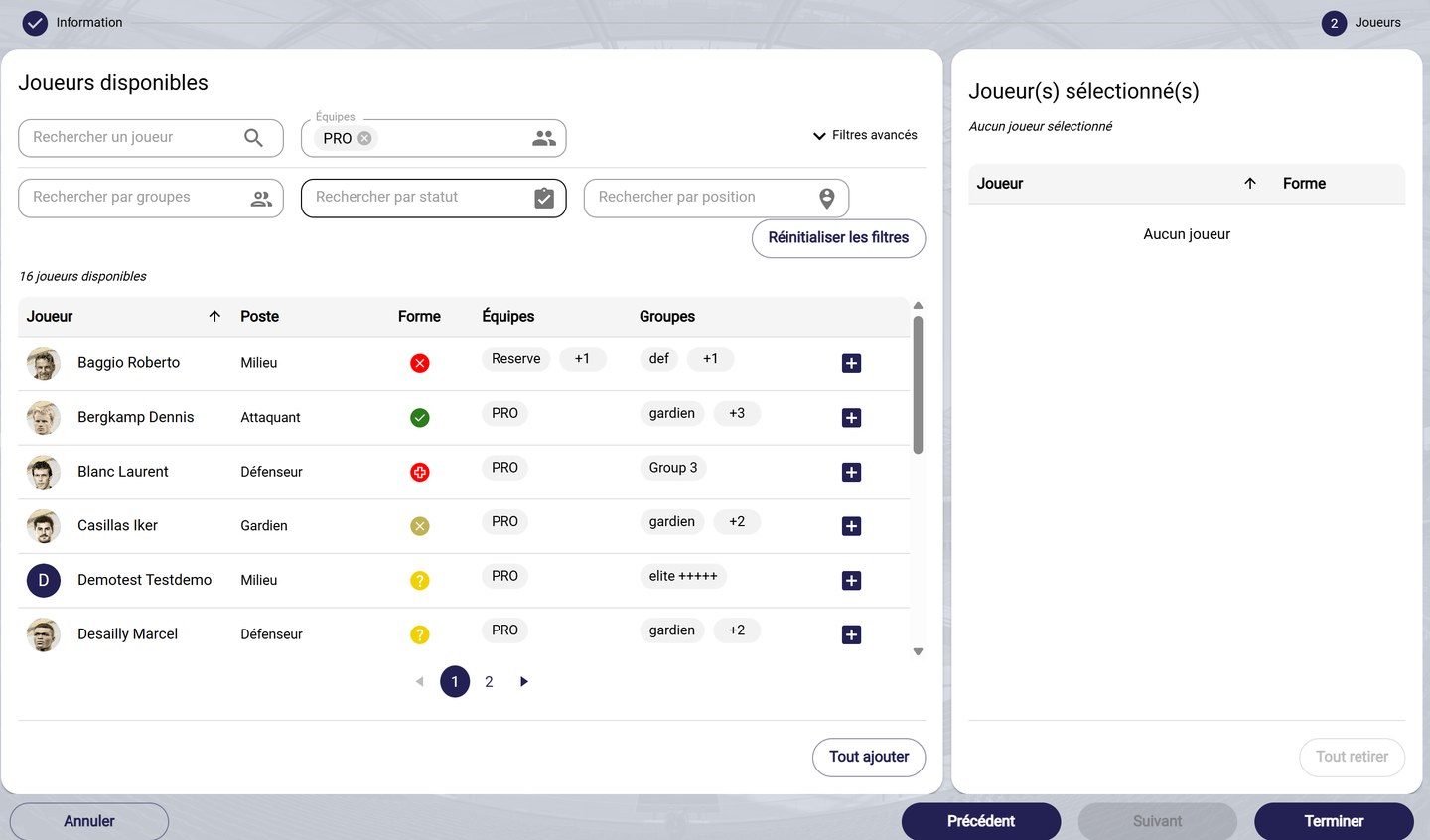
The player selection
Regular monitoring?To schedule this monitoring every day or every week, use Plan player monitoring events instead. See Configure and schedule a Wellness form.
Need help
Email support@mycoachpro.io with any questions about creating events.