Create a blank form
Start from a blank form when no template or existing form fits your needs. You will then add your own questions.
Start the creation
-
In Insights > Forms, Configuration tab, click Add.
-
Select Create a new form, then click Next.
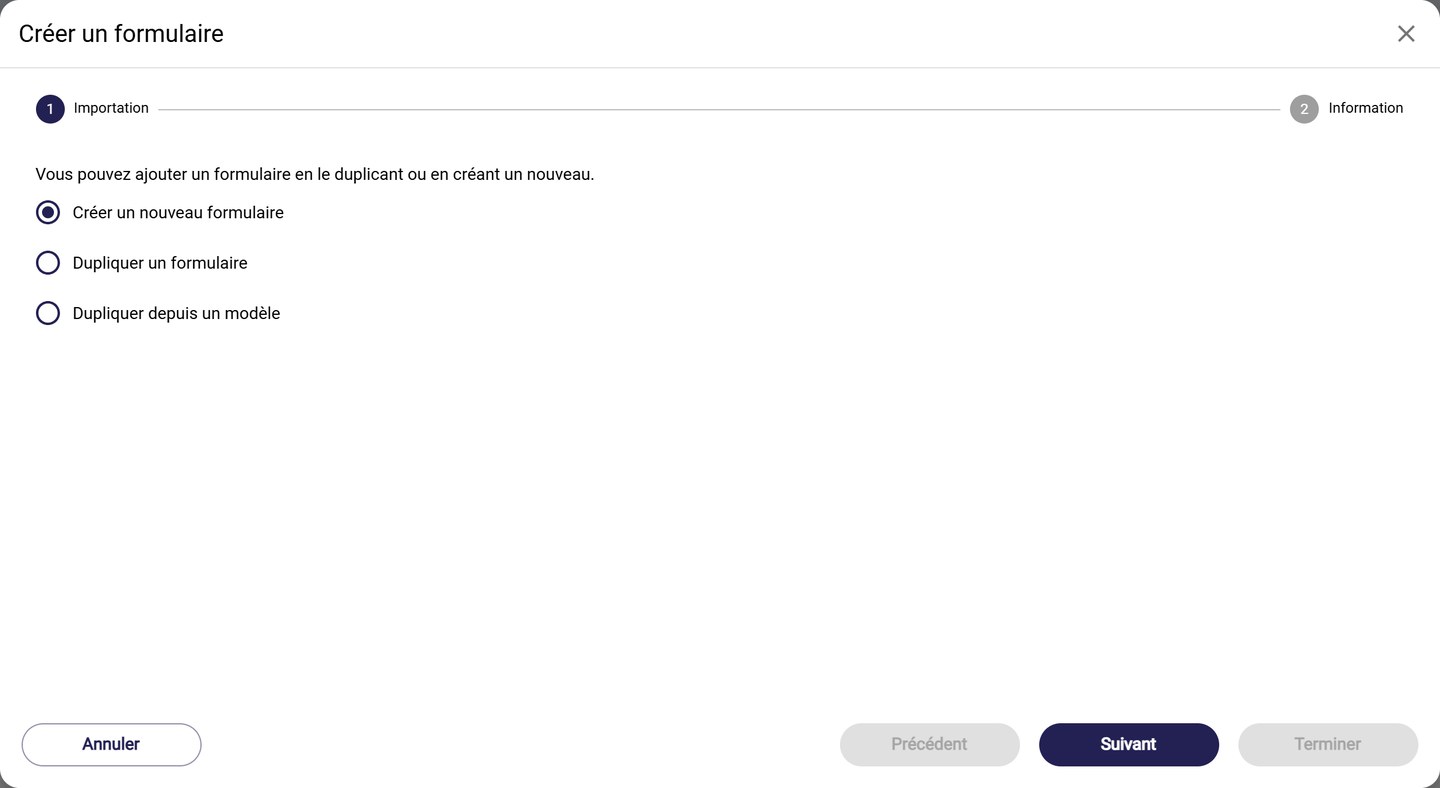
The three ways to add a form
The other optionsDuplicate a form copies a form from your club and Duplicate from a template starts from a MyCoach Pro template. See Duplicate a form and Create an RPE form from a template.
Fill in the information
-
Give the form a Name and choose the Team that will use it.
-
Choose the Context, that is, what the form is used for:
- Global: Game, Training, Scouting, Opponent analysis;
- Player monitoring: Administrative, Individual review, Wellness, Nutrition, Paramedical, Mental preparation, Psychology, Sleep and recovery, Tests…
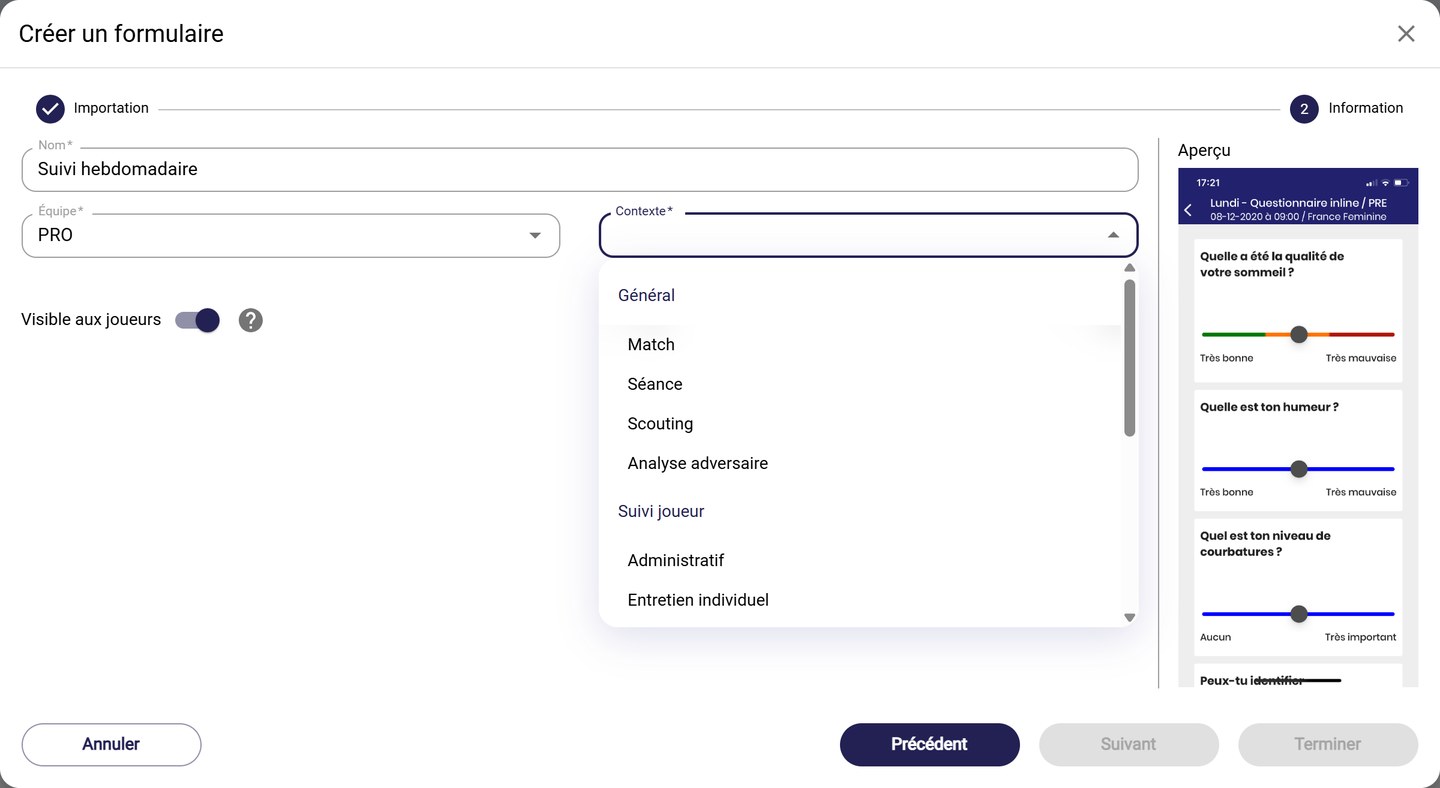
Choosing the context
The context determines where the form is offered. A Wellness form, for example, is used for player monitoring events.
-
Turn Visible to players on or off. When it is off, the form is reserved for staff, who alone can answer it and see its answers.
-
Choose the display Type on the mobile app:
- 1 page: the questions are displayed one under the other;
- 1 by 1: the questions are displayed one after the other.
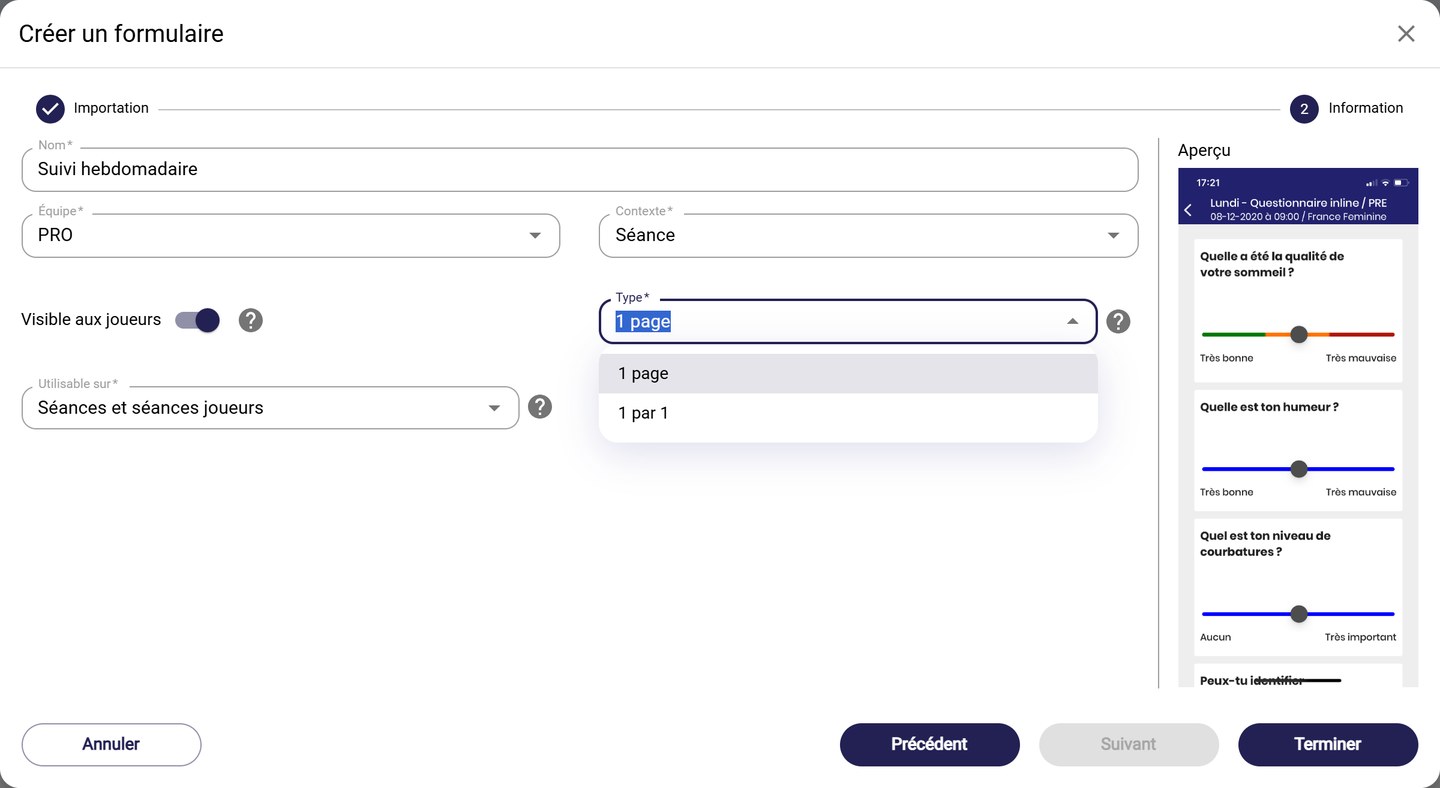
The display type and the Can be used on field
Permanent typeThe type can no longer be changed once the form has been created.
-
For a Training form, the Can be used on field specifies which sessions are concerned:
- Training sessions and player sessions;
- Training sessions (Staff only);
- Player sessions (Player only), the sessions that players create themselves.
-
The Preview, on the right, shows how it looks on mobile. Click Finish to create the form.
Your form is empty. Add your questions by following Add and set up questions.
Need help
Email support@mycoachpro.io with any questions about creating forms.