Create an RPE form from a template
MyCoach Pro provides ready-to-use form templates: RPE, Wellness, review… Start from a template to create your post-session RPE form, adapt its questions, then make it the default form for your sessions.
Create the form from a template
-
In Insights > Forms, Configuration tab, click Add.
-
Select Duplicate from a template, then open the Form list to choose the template. For an RPE after the session, choose Training (Post).
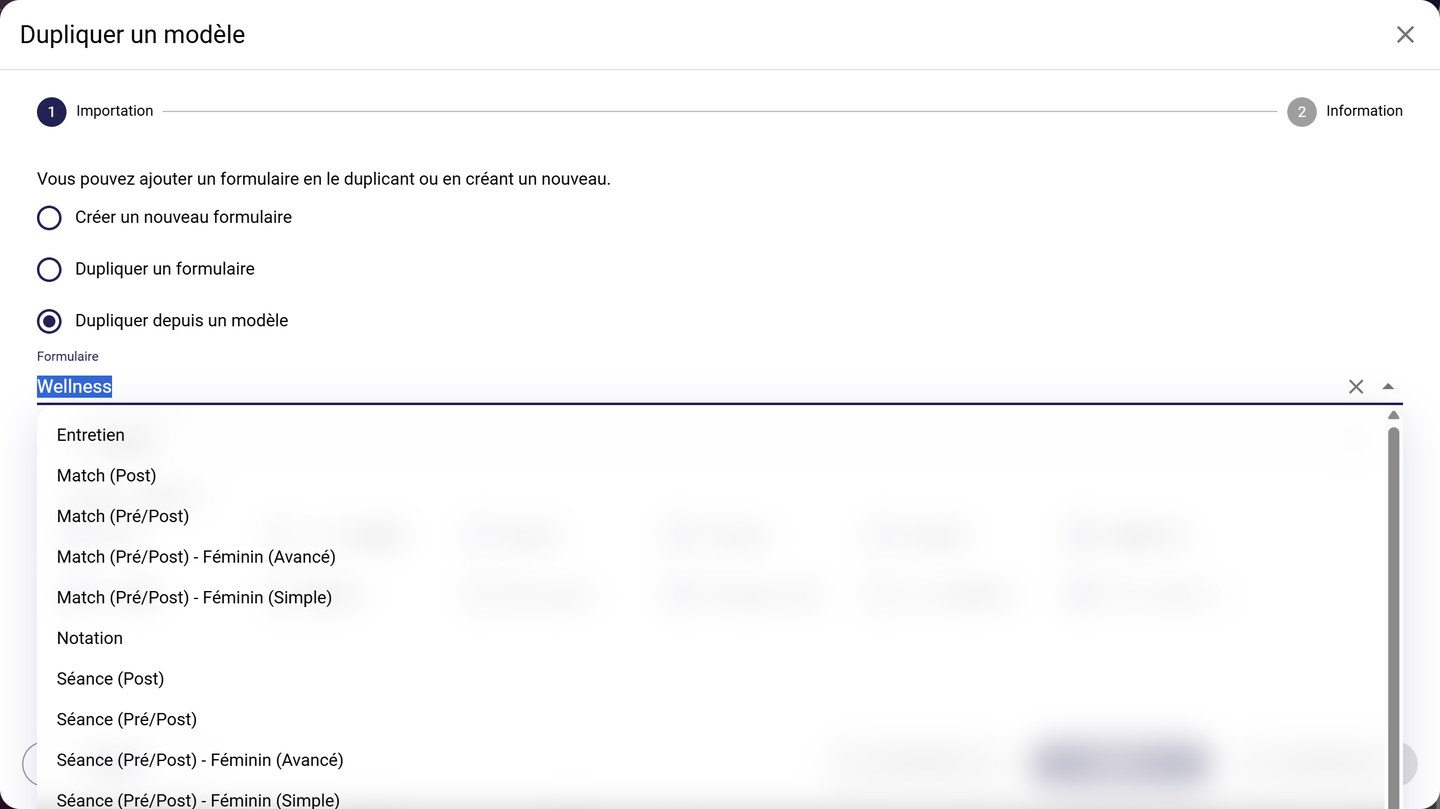
The templates provided by MyCoach Pro
-
Choose the form's Default locale, then tick the Locales to import: the template's translations in these languages will be added to your form. Click Next.
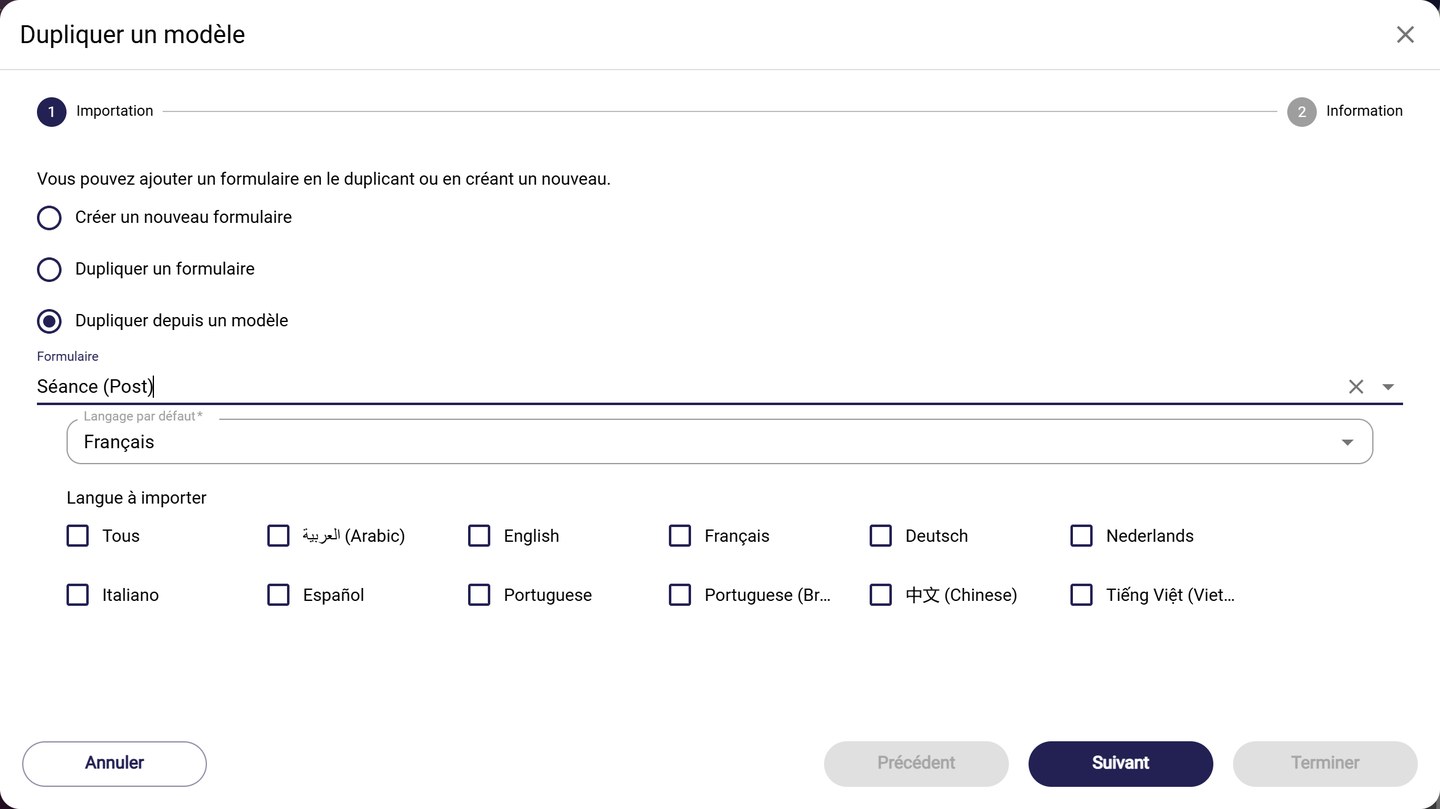
The chosen template and its languages
-
At the Information step, the fields are prefilled from the template. Check the Name, the Team, the Context (Training), the Type and the Can be used on field, then click Finish.
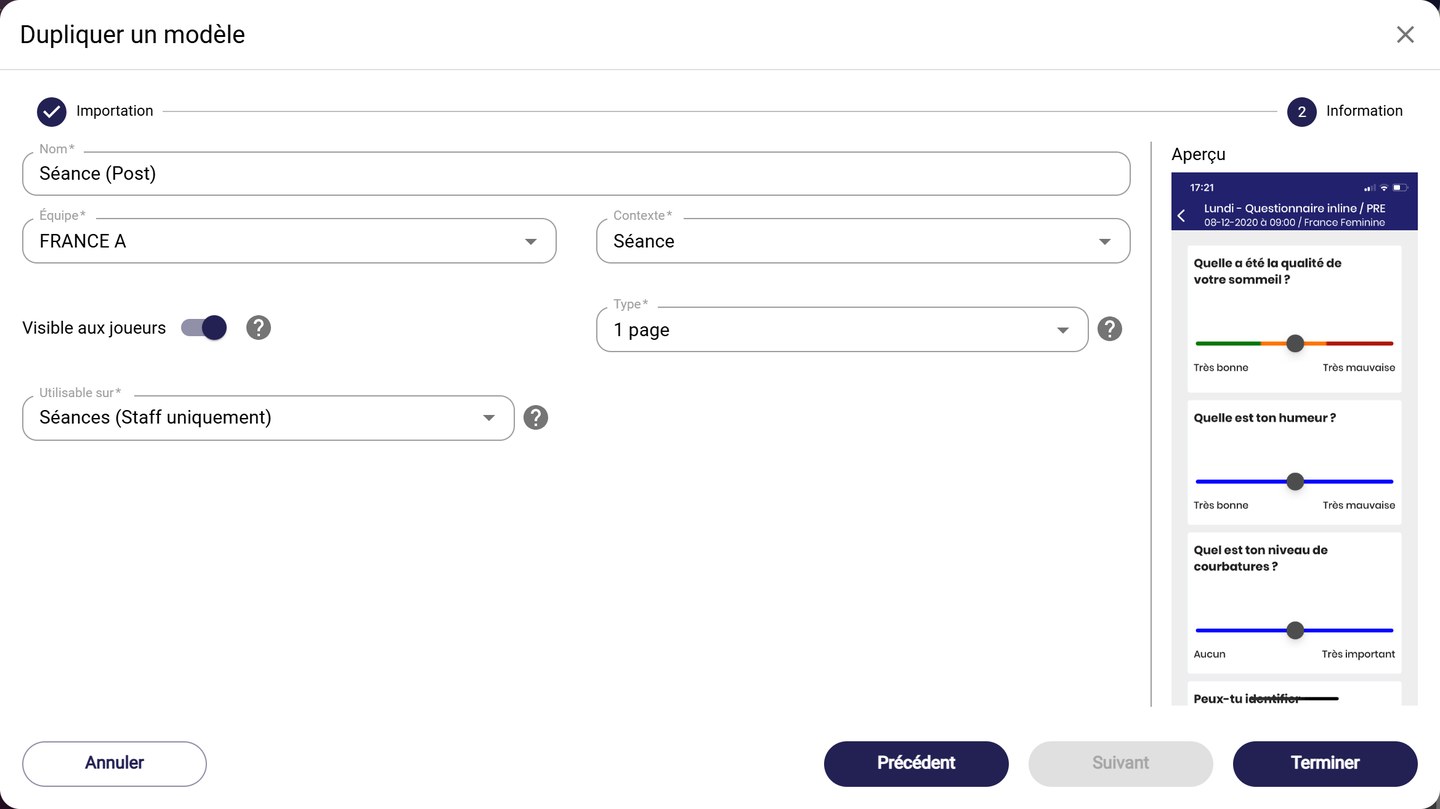
The prefilled Information step
The fields in detailThe context, visibility to players, display type and Can be used on are explained in Create a blank form.
Add a question
-
Open the form (gear > See), then choose the POST phase: it holds the questions asked after the session.
-
Click Actions, then Generate numerical question. Set:
- the Minimum, Maximum and Step of the answers, for example from 1 to 10;
- the Alert thresholds: tick a Lower alert threshold or an Upper alert threshold to flag the answers to watch;
- the Color scheme, for example Green / orange / red gradient.
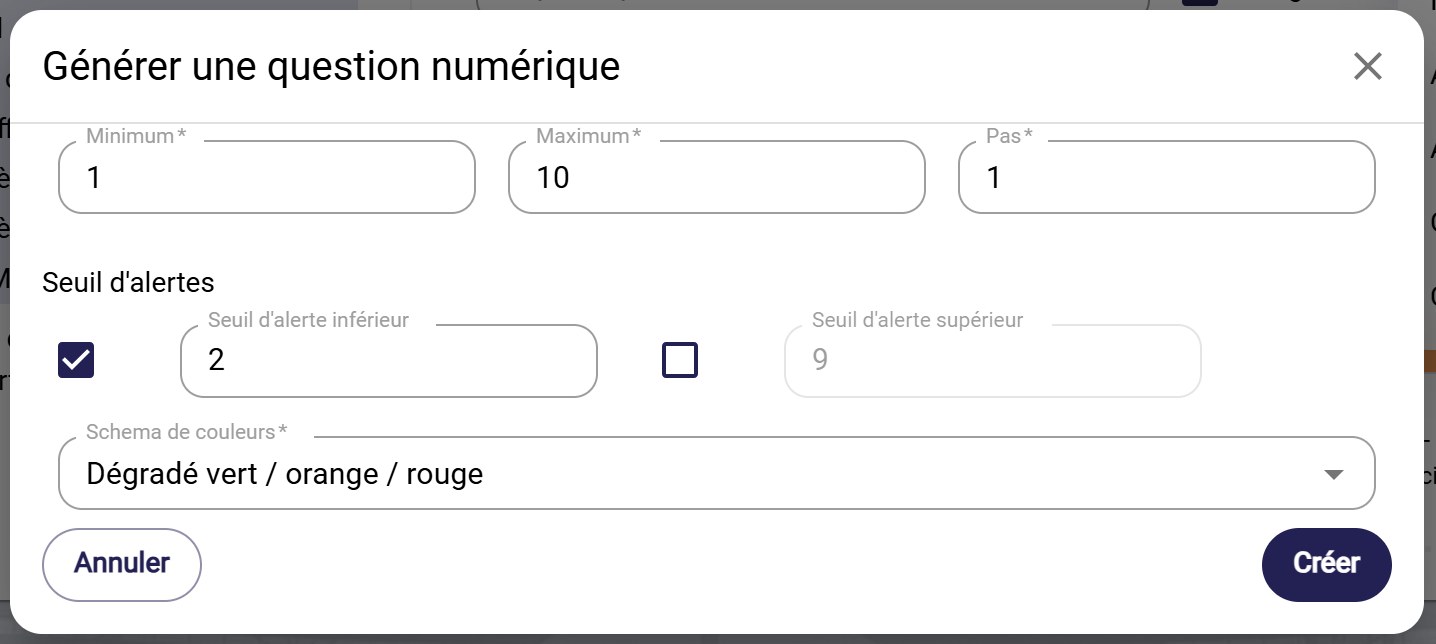
Generating a numerical question
Click Create: the question and all its answers are added.
-
Select the new question in the list, then fill in its Long text (the question asked to the player) and its Short text. In Analysis variables, choose the variable fed by the answers.
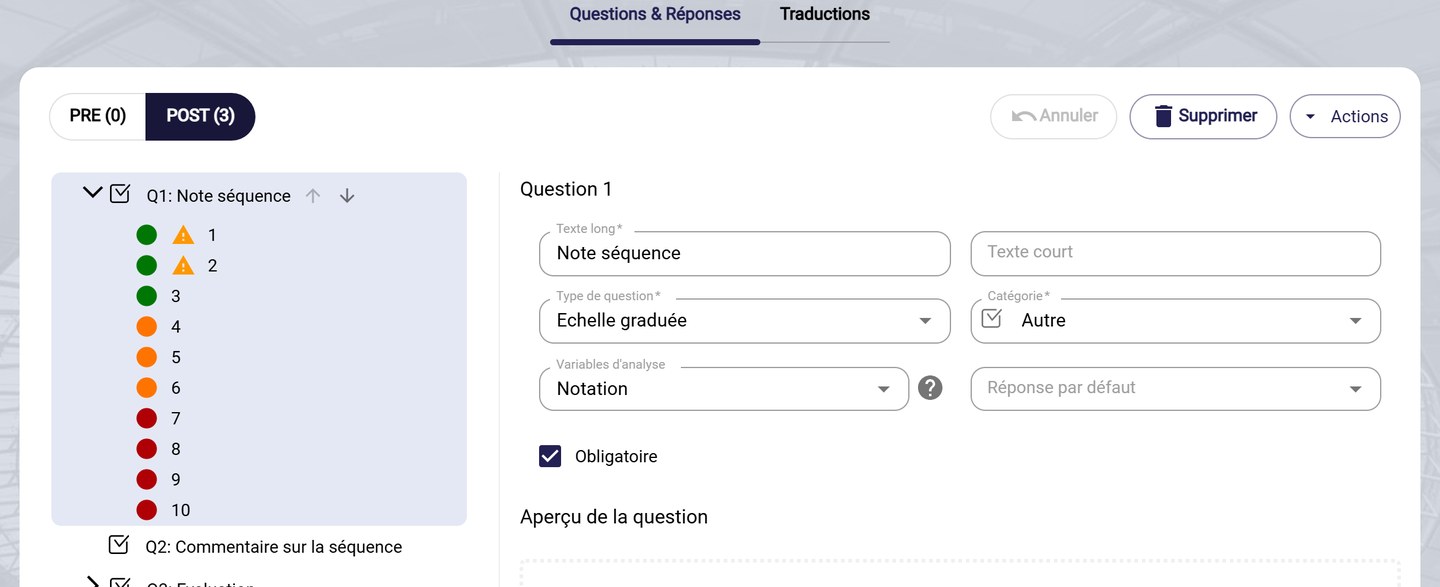
A question linked to an analysis variable
-
Click Save and quit.
The question types and the Actions menu are detailed in Add and set up questions.
Set the form as default
-
In the list of forms, click the form's gear, then Set as default.
-
Confirm with Save.
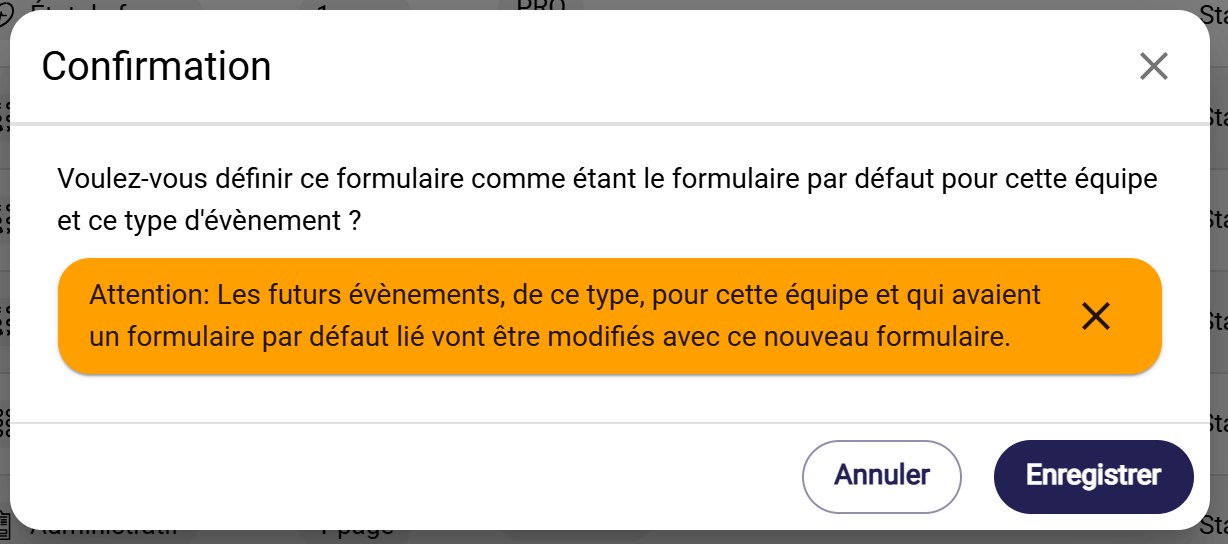
The confirmation
Upcoming eventsFuture events of this type, for this team, that had a default form will now use this new form.
You can also duplicate an existing form or manage its translations. All question types are detailed in Add and set up questions.
Need help
Email support@mycoachpro.io with any questions about creating forms from a template.